
BillingPortal
Your business outgrew the panel, the spreadsheet — and WHMCS.
Running an IPTV service means creating lines, collecting money through half a dozen apps, chasing renewals, answering “it stopped working” and keeping your panel credits topped up. BillingPortal does that work for you — automatically, around the clock, under your own brand.
✦Coming from “no billing system”
Panel + Venmo + text messages + a spreadsheet works — until it doesn’t.
- No more chasing payments. Invoices, reminders and receipts go out on their own.
- Venmo, Cash App, Zelle and PayPal payments are matched automatically — scanned every 5 minutes and applied to the right invoice.
- Lines renew themselves the moment a customer pays — no logging into the panel.
- Non-payers are handled for you — reminders, then suspension, then cancellation, on a schedule you set.
- Customers serve themselves — credentials, channel packs, upgrades, invoices and support in their own portal.
- Real numbers — monthly recurring revenue, what’s still due this month, and whether your panel credits will cover next month.
WComing from WHMCS
WHMCS was built to bill web hosting. IPTV was never its job.
- Built for IPTV from day one — lines, connections, bouquets, trials, credits and panels are first-class, not bolt-ons.
- No third-party IPTV modules to license, patch and hope keep working after an update.
- One-click updates — every release is verified, your code is backed up first, and it rolls back on its own if anything fails.
- Streamlined screens — no domains, servers, cPanel or hosting jargon your staff has to ignore.
- A branded TV app your customers log into with the same account — WHMCS has nothing like it.
- The Panel console: run your reseller panel from Admin — live viewers, disconnects, credits, reconciliation.
- We migrate you — clients, services, invoices and years of ticket history come across.
From order to “it’s playing” — without you lifting a finger
Every step a reseller used to do by hand is automated, logged and visible in Admin.
Four pillars, one system
$Billing & payments
Invoices, five payment methods, auto-pay, account credit, coupons, reminders, dunning, receipts, custom prices and real revenue reporting.
⚙Panel automation
XUI One, NXT and Best Panel as plug-in modules. Provision, renew, suspend, cancel, change plan, import packages — plus the Panel console.
☺Customer experience
Customer portal, mobile portal, a storefront in four layouts, knowledge base, sports guide, ISP fix-it hub — and your own branded TV app, all in your colours.
✉Operations
Tickets, campaigns, email templates, admin roles, audit logs, backups, SSH protection, whitelabel branding and one-click SSL.
One account, everywhere
The same customer login works on the website portal, the mobile portal and your TV app. Their plan, credentials, invoices, profiles and watch history are all in one place — yours.
What you get that the alternatives don’t
| Capability | Panel + spreadsheet | WHMCS | BillingPortal |
|---|---|---|---|
| Built specifically for IPTV resellers | — | No (web hosting) | ✓ |
| Creates the panel line automatically after payment | Manual | 3rd-party module | ✓ XUI One · NXT · Best Panel |
| Renews the line automatically when an invoice is paid | Manual | 3rd-party module | ✓ |
| Venmo / Cash App / Zelle / PayPal matched automatically | — | — | ✓ every 5 minutes |
| Stripe card payments & auto-pay | — | ✓ | ✓ |
| One payment can never settle two invoices — real double payments flagged for refund | — | — | ✓ |
| Refunds, with an optional early-refund window for new card purchases | Manual | refunds only | ✓ Stripe refunds sync in |
| Reminder → suspend → cancel schedule | — | ✓ | ✓ + suspends the line on the panel |
| Customer portal (desktop + mobile) | — | ✓ | ✓ built around streaming |
| Customers pick their channel packs (bouquets) | — | varies by module | ✓ |
| Upgrade / change plan (connections, adult, term) | — | generic | ✓ tier grid, next-renewal or now |
| Free-trial limits per customer | — | — | ✓ |
| Your own branded TV app | — | — | ✓ Android TV · Fire TV · Google TV |
| Profiles, Favorites & Continue Watching saved to the customer’s account | — | — | ✓ follows them to every device |
| Run your reseller panel from Admin (live viewers, disconnect, credits) | — | — | ✓ Panel console |
| Billing ⇄ panel reconciliation | — | — | ✓ |
| Panel credit forecast (“covers next 30 days?”) | — | — | ✓ |
| Sub-resellers buy credits — loaded onto their panel automatically | Manual | 3rd-party module | ✓ XUI One · NXT |
| Sports events guide & “streams not loading?” ISP fix-it hub | — | — | ✓ |
| Storefront layouts you switch in one click (plan cards · plan builder · compare table) | — | theme work | ✓ 4 layouts |
| Your brand colours on portal, shop and TV app — set in Admin | — | theme work | ✓ no app rebuild |
| Device ID & plain-English app logs for every customer | — | — | ✓ + Wi-Fi, speed & storage |
| Catch-up TV in your own app — watch from the start, jump back to live | — | — | ✓ on archived channels |
| Smart-TV players for LG, Roku & Samsung activated for your customers | Manual | — | ✓ from Admin or self-serve |
| Refer-a-friend program | — | affiliate commissions | ✓ friend discount + free month |
| Seasonal pause — customers keep their login, with no bills | Manual | suspend by hand | ✓ customer presses Pause |
| Playlist links (M3U · HLS · TV guide) with one-tap Copy | in the panel | — | ✓ portal, email & Admin |
| Your brand, your domain, one-click SSL | — | theme work | ✓ from Admin |
| Migration of your existing customers | — | — | ✓ WHMCS or panel import |
| Platform updates in one click — verified, backed up, rolled back if anything fails | — | manual upgrades | ✓ in What’s New |
WHMCS column reflects a standard WHMCS install; IPTV features there depend on separately licensed third-party modules.
Get paid — however your customers like to pay
Most IPTV customers pay by Venmo, Cash App or Zelle. BillingPortal reads the payment notifications from your inbox and applies them to the right invoice on its own — no screenshots, no “did you get my payment?”.
▣Stripe cards
Pay by card on your checkout with your own Stripe account. Saved cards and automatic monthly charging. Webhooks rescue payments that confirm late, and duplicate deliveries are blocked.
↯Venmo · Cash App · Zelle · PayPal
Your payment inboxes are scanned every 5 minutes. Each payment is matched to its invoice by reference and amount, marked paid, and the line renews — all hands-free.
◎Account credit
Customers can add funds; credit is applied automatically to unpaid invoices every day. Paid credit and complimentary credit are tagged separately so your revenue stays honest.
💳Payment modules
Stripe, NMI, Venmo, Cash App, Zelle, PayPal, account credit and manual payments are each a module in Admin → Modules. Switch one on or off and the pay screen follows — a switched-off method is refused everywhere, not just hidden.
↺Refunds — when you want them
An optional Refunds module: a Refund button on Transactions and on each client, Stripe refunds synced in automatically, and an early-refund window — customers can ask for a refund on a new card purchase and you approve it from a ticket.
✓Paid exactly once
Every way an invoice gets paid claims it safely: two payments arriving at the same moment can never both settle it, one card payment can never pay two invoices, and a real double payment emails your team a Refund check.
Invoicing that fits recurring streaming
- One combined invoice per customer — every service due in the cycle, one bill.
- Monthly, 3-, 6- and 12-month terms — due dates follow the real package length.
- Coupons for a set number of billing cycles, plus a ready-made win-back offer.
- Custom prices for family, friends and special deals — tick “Custom price” and a price change never touches them.
- Manual invoices from any client page; resend receipts with one click.
- $0 and free-trial orders settle themselves — no false “past due”.
- Protection built in: never bills the same period twice, stuck paid orders are healed, abandoned carts are cleaned up.
Reminders & dunning — on your schedule
- Editable reminder ladder — e.g. 3 days before, 1 day before, due day, 3 and 5 days after.
- Automatic suspension of overdue services — the line is disabled on the panel too.
- Automatic cancellation after your grace period, with the panel line removed.
- Pay → back on instantly — suspension lifts the moment the invoice is paid.
- Service notices always arrive, even if the customer opted out of marketing email.
- Every email is logged on the client’s page, so support can see exactly what was sent.
Know exactly where the business stands
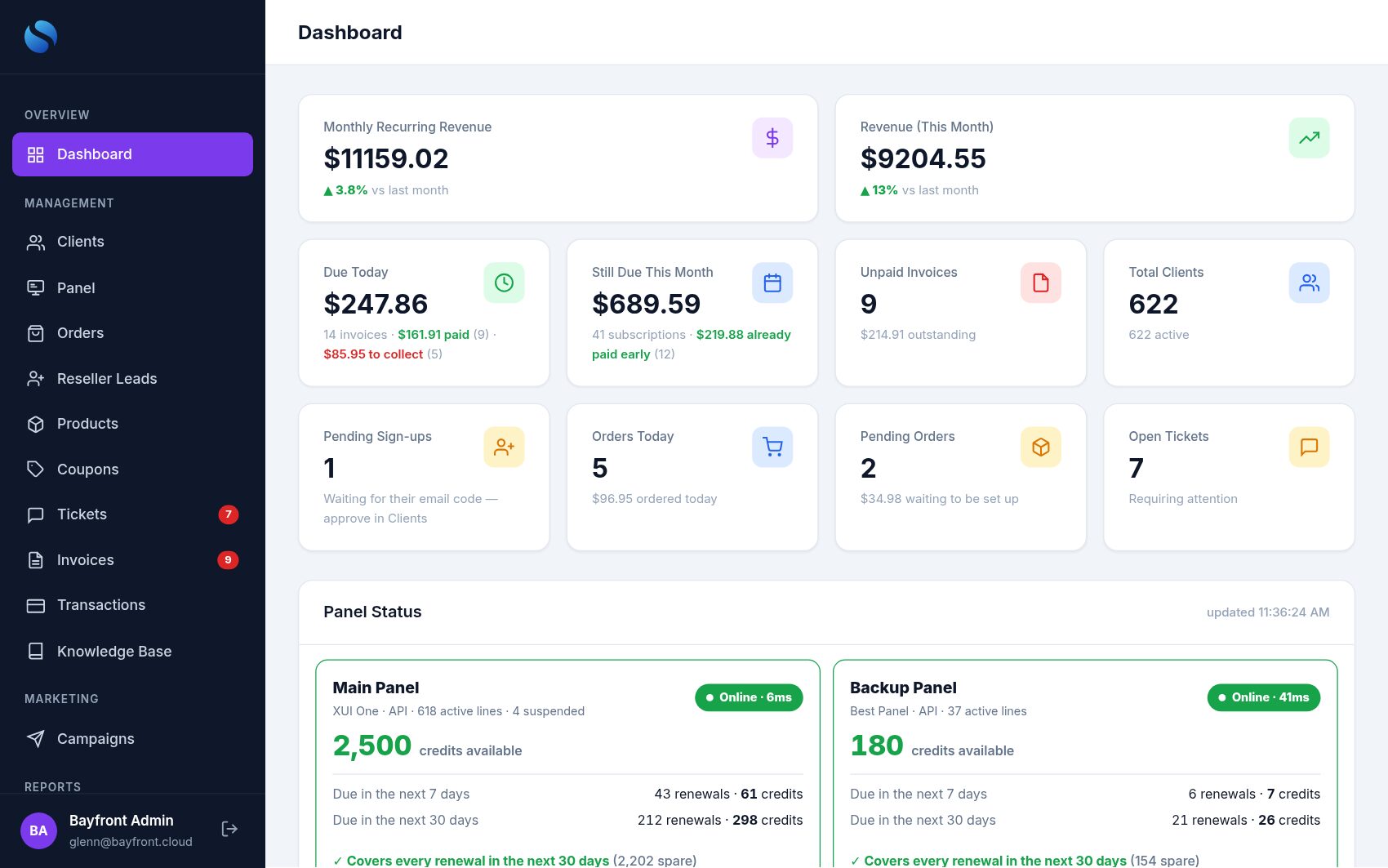
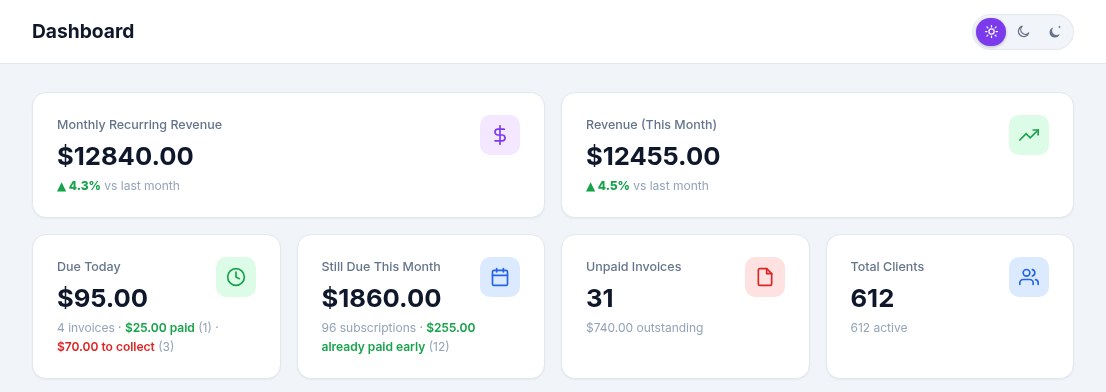
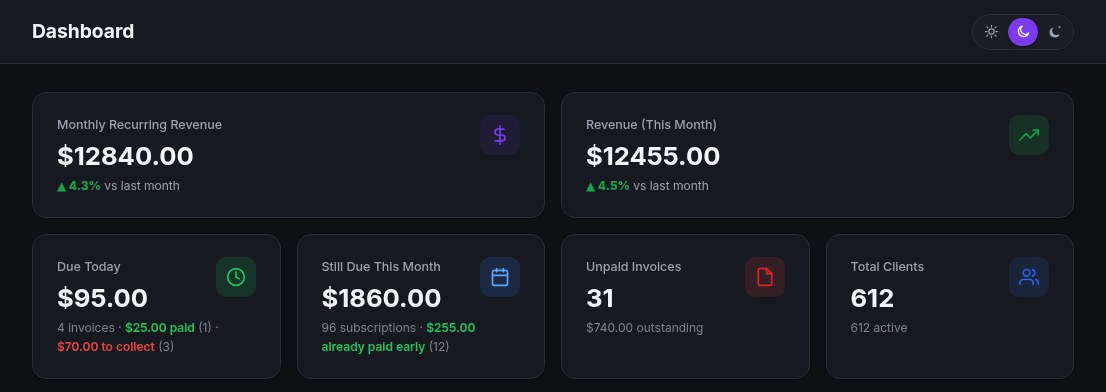
The dashboard answers the questions resellers ask every morning — how much comes in this month, who still owes, and whether the panel has enough credits for the renewals ahead.
≋Real MRR
Monthly recurring revenue from live subscriptions — not last month’s cash — with the change month over month.
◷Still due this month
Every subscription due between today and month-end, plus who has already paid early.
◉Panel credit forecast
Credits on each panel, renewals due in 7 and 30 days, and a clear “covers every renewal” — or how much to top up.
⚡Panel reachability
Green/red status for every panel, checked every minute, so you know before your customers do.
▤Reports
Financial, payments, invoices, clients, products and support reports, a 12-month revenue chart and PDF exports.
!Alerts that matter
Paid-but-not-provisioned alerts, failed renewals queued for automatic retry, and unpaid-invoice badges.
◴Due today
What falls due today, what’s already paid and what’s still to collect — one click opens exactly that list.
🛒Orders & sign-ups
Orders placed today, orders waiting to be set up and new sign-ups waiting for approval, right on the dashboard.
▦Tiles on every list
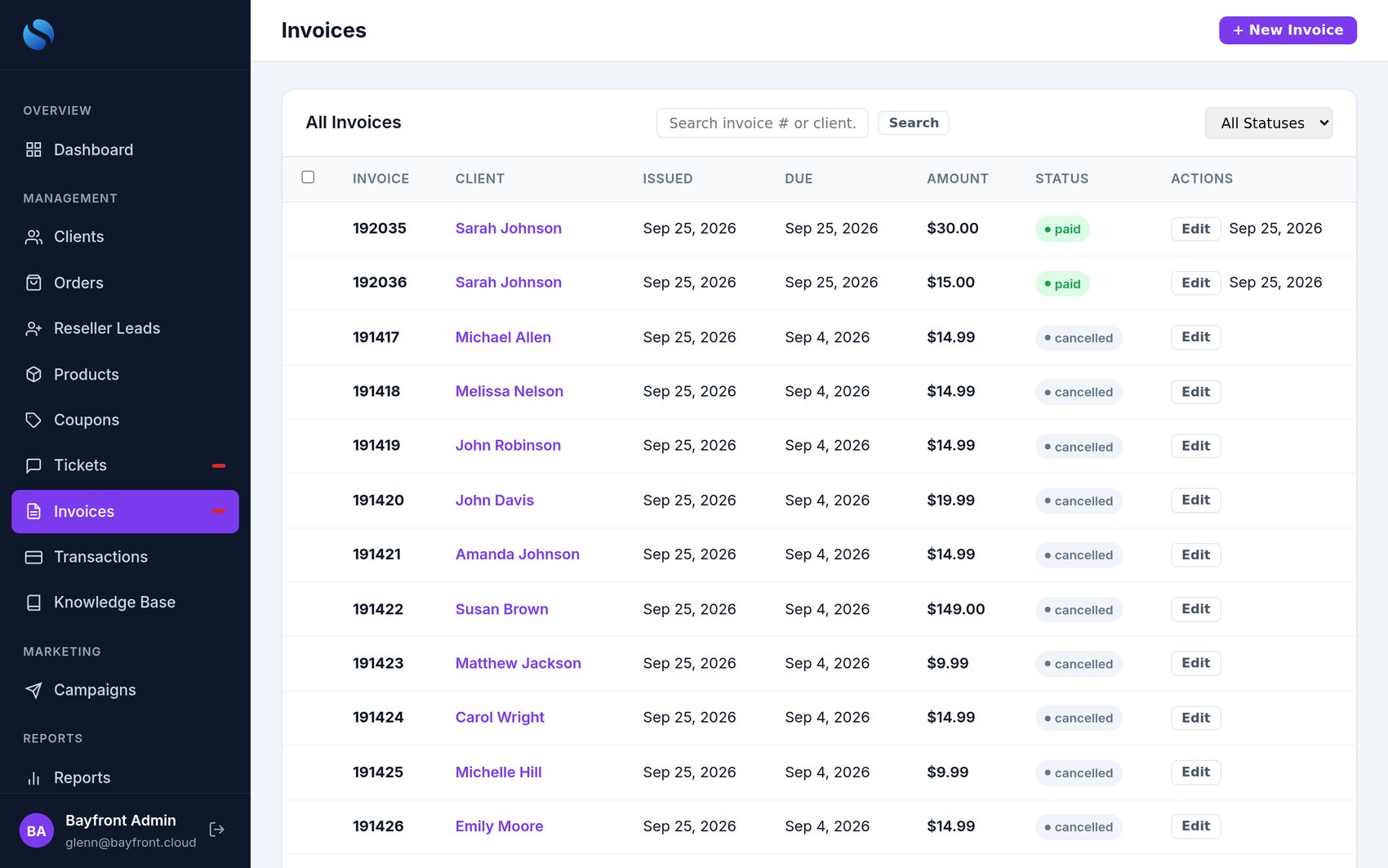
Clients, Invoices, Orders, Tickets and Transactions open with count tiles — tap one to filter, e.g. “active, no service” is your win-back list.
Plug in your panel. Billing drives it from there.
Panels are modules you add in Admin — pick the type, enter the login, press Test. Run several panels side by side (for example a main panel and a backup). Every line action is automatic, retried if a panel hiccups, and logged.
XUI One
Reseller API or web-panel mode — so regular resellers without API access are fully supported. Credits, packages, lines, channel packs, trials.
NXT
Provisioning, renewals, cancellations and credentials read back after creation so customers never get a dead password.
Best Panel
Modern REST integration including balance, watch history, live sessions, sub-resellers and provider tickets.
Everything happens on the panel for you
- Create the line on payment — right package, connections and channel packs.
- Renew on payment; suspend and re-enable with billing; remove on cancellation.
- Free trials with a per-customer limit, provisioned instantly.
- Safety caps on credits per order; a lock stops double-provisioning.
- Retry queue — a panel timeout never loses a renewal.
- Sub-reseller credits — sub-resellers buy credit packs in their portal; once paid, the credits load onto their reseller account on the panel automatically, with a receipt.
- True line status in the portal and Admin: active, expired or disabled on the panel, and “streaming now”.
Catalog in minutes
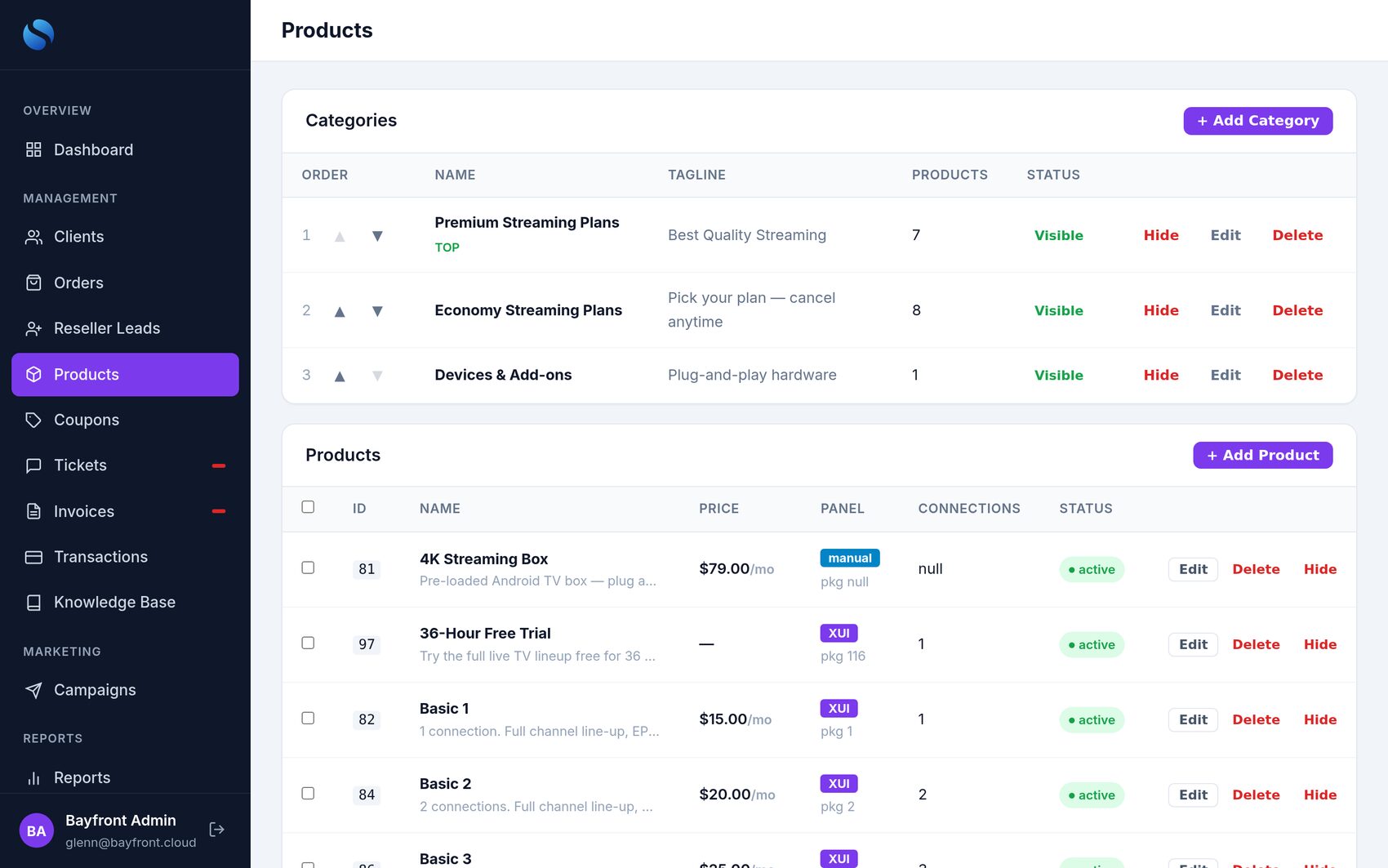
- Import from Panel — reads your live packages and builds the product grid (connections × term) in one click.
- Tier grid products — 1–5 connections, with or without adult, 1/3/6/12 months.
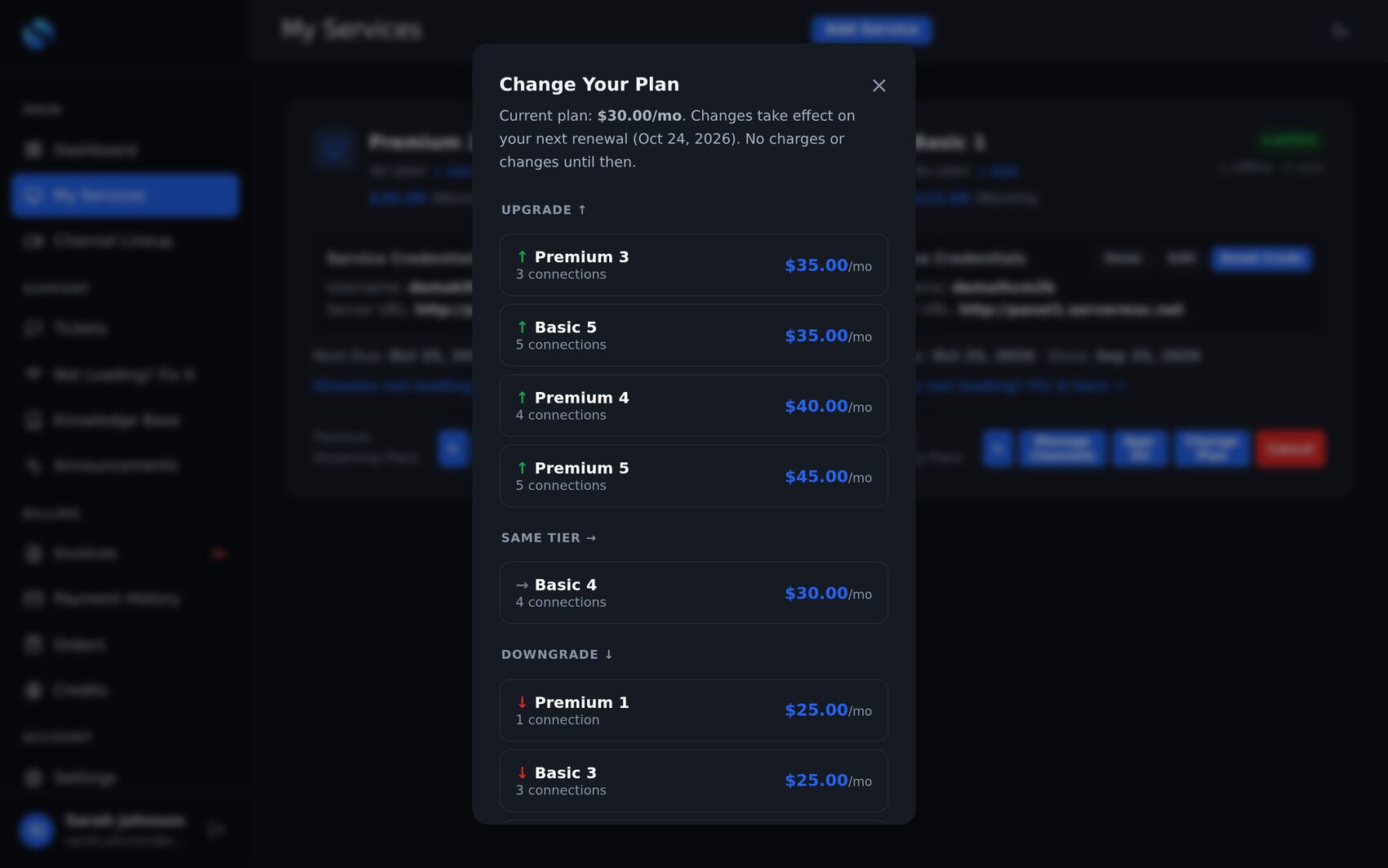
- Change Plan / Upgrade — customers move up, down or sideways; now or at next renewal.
- Add Existing Service — attach lines you already sell, perfect for onboarding.
Never log into your reseller panel again
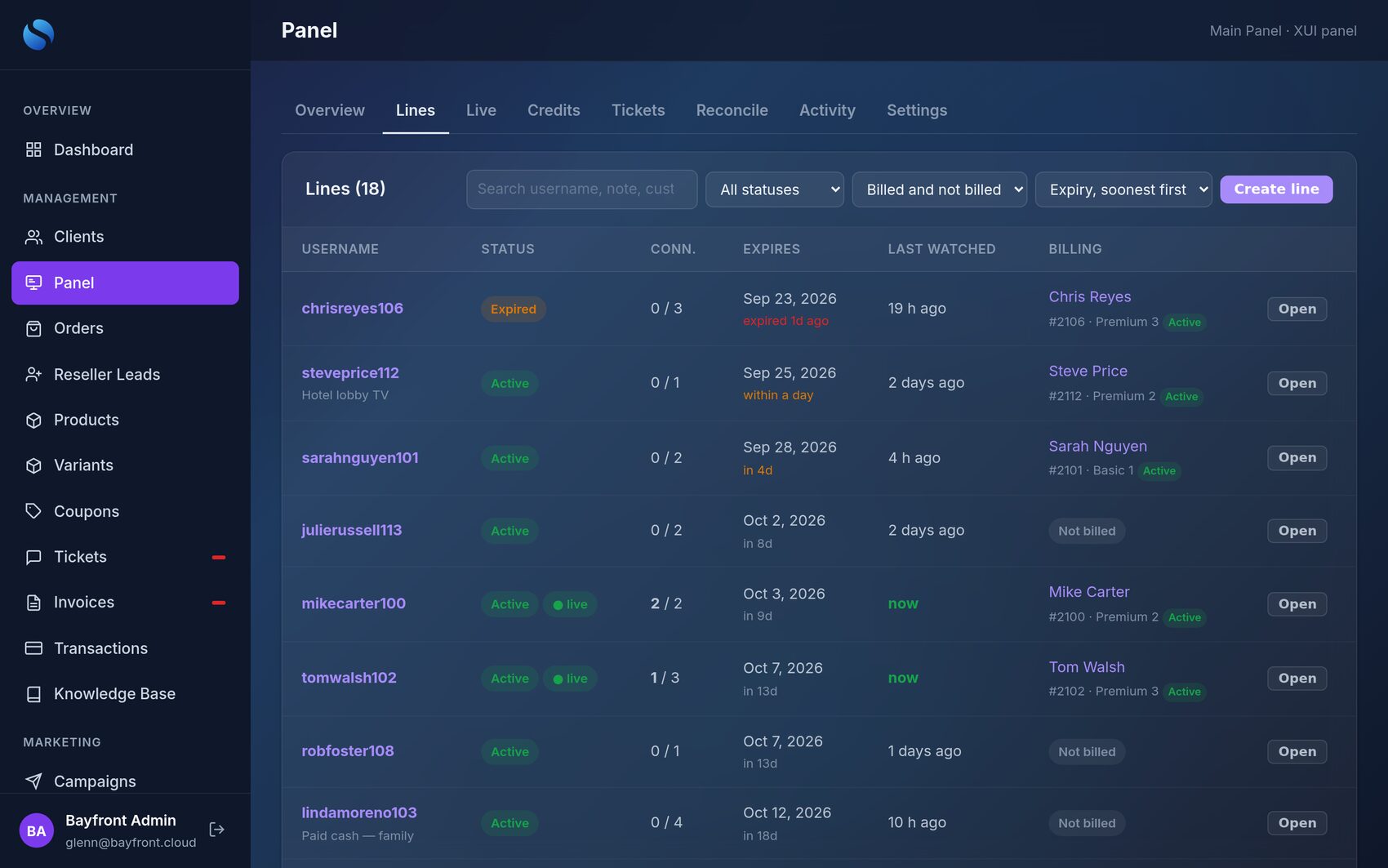
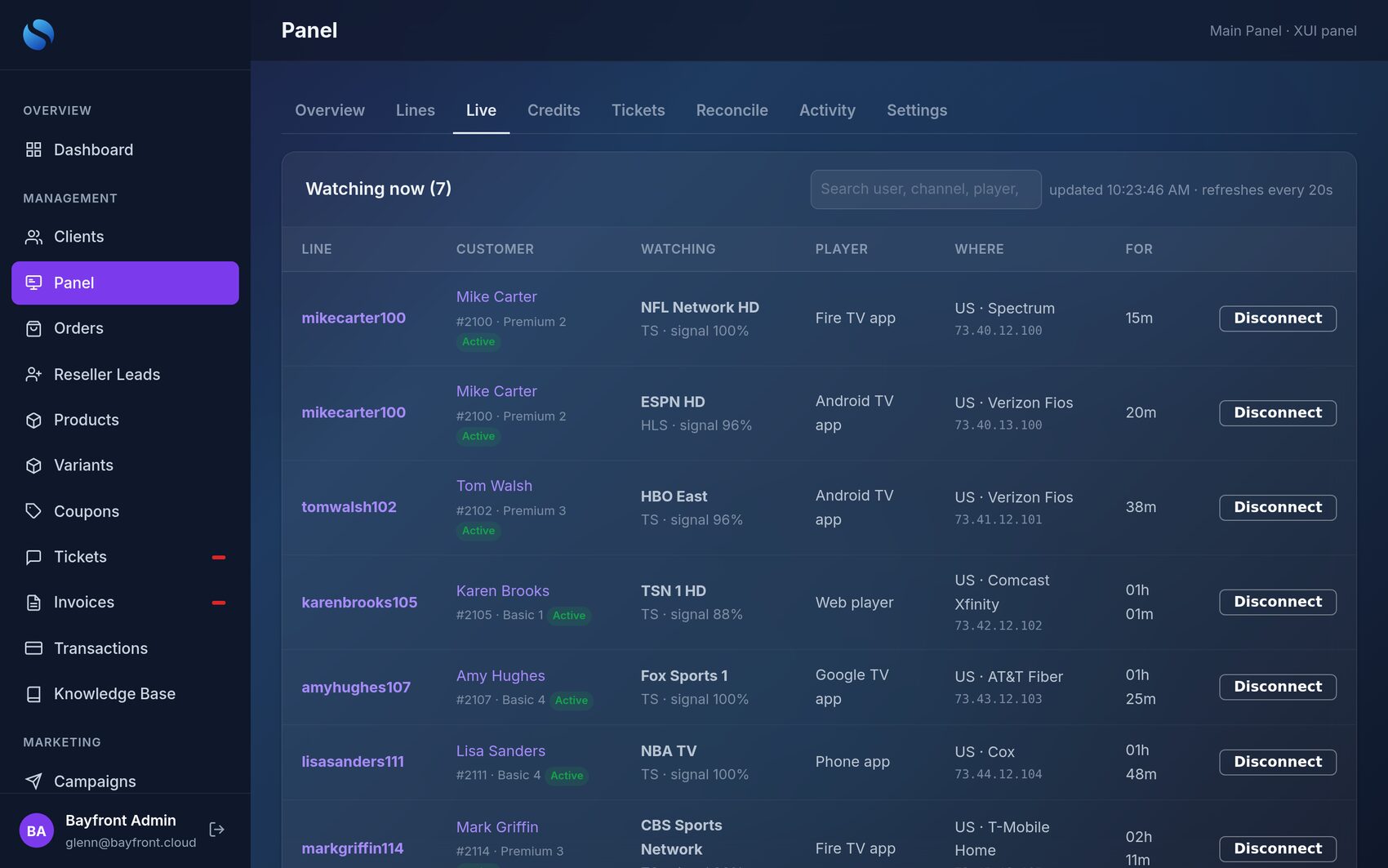
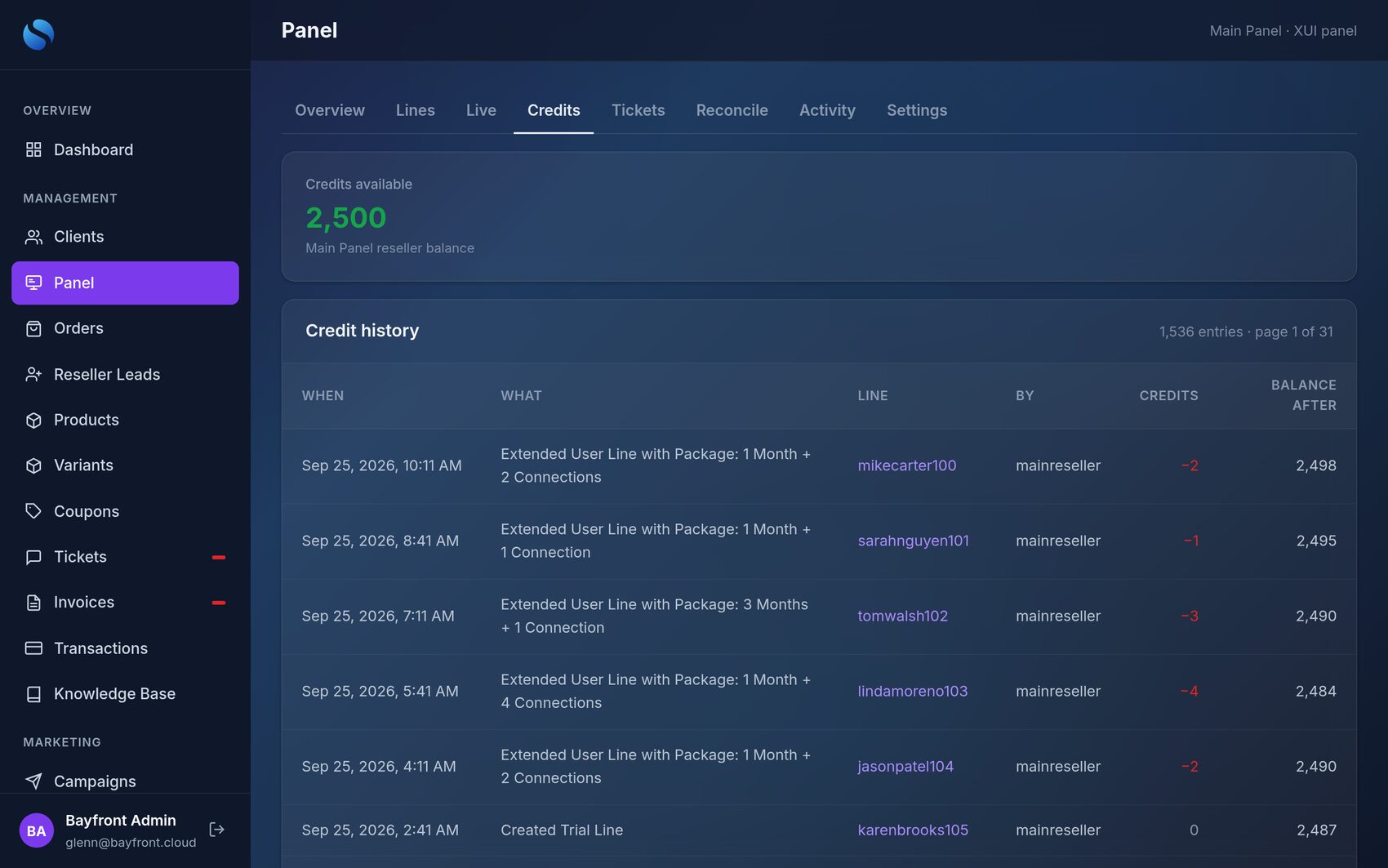
Admin → Panel puts your whole reseller panel inside your billing system — every line, who is watching right now, your credits and their history — each line tied to the customer who pays for it.
☰Every line
Search by username, note, customer or email. Filter active, trial, expired, disabled, watching now, billed or not billed.
●Watching now
Who is streaming, what channel, which app, which ISP and for how long — refreshed every 20 seconds.
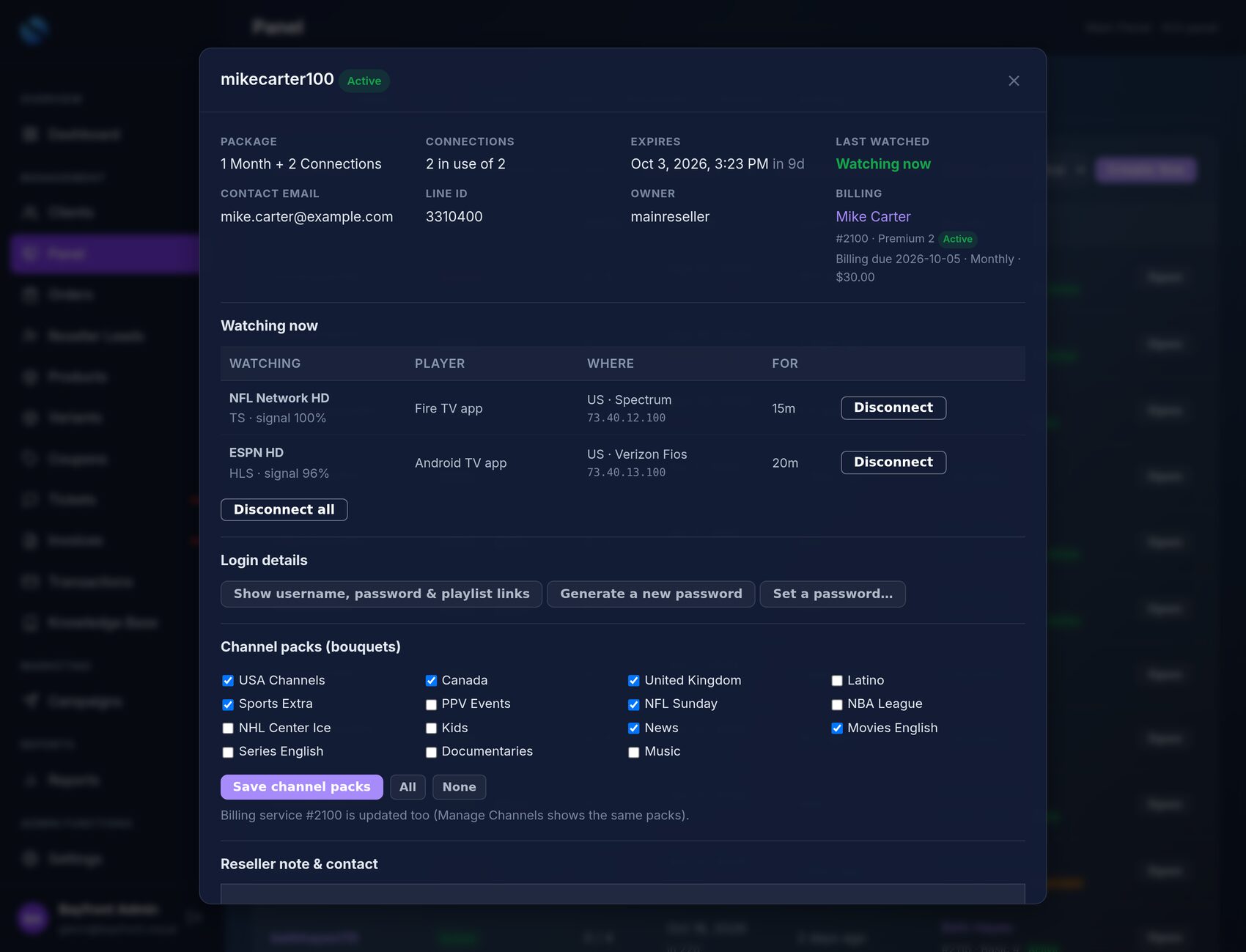
⏏Disconnect
End one session or every session on a line — e.g. a shared password — with a confirmation step.
⚿Logins
Reveal username, password and playlist links; set or generate a new password — billing is updated so email and the app keep working.
+Add time & create
Add a package, create trial or paid lines — with the credit cost shown, and protected so a double-click never charges twice.
▦Channel packs & notes
Change a line’s bouquets, notes and contact email — the customer’s billing record follows.
Reconcile finds the money leaks
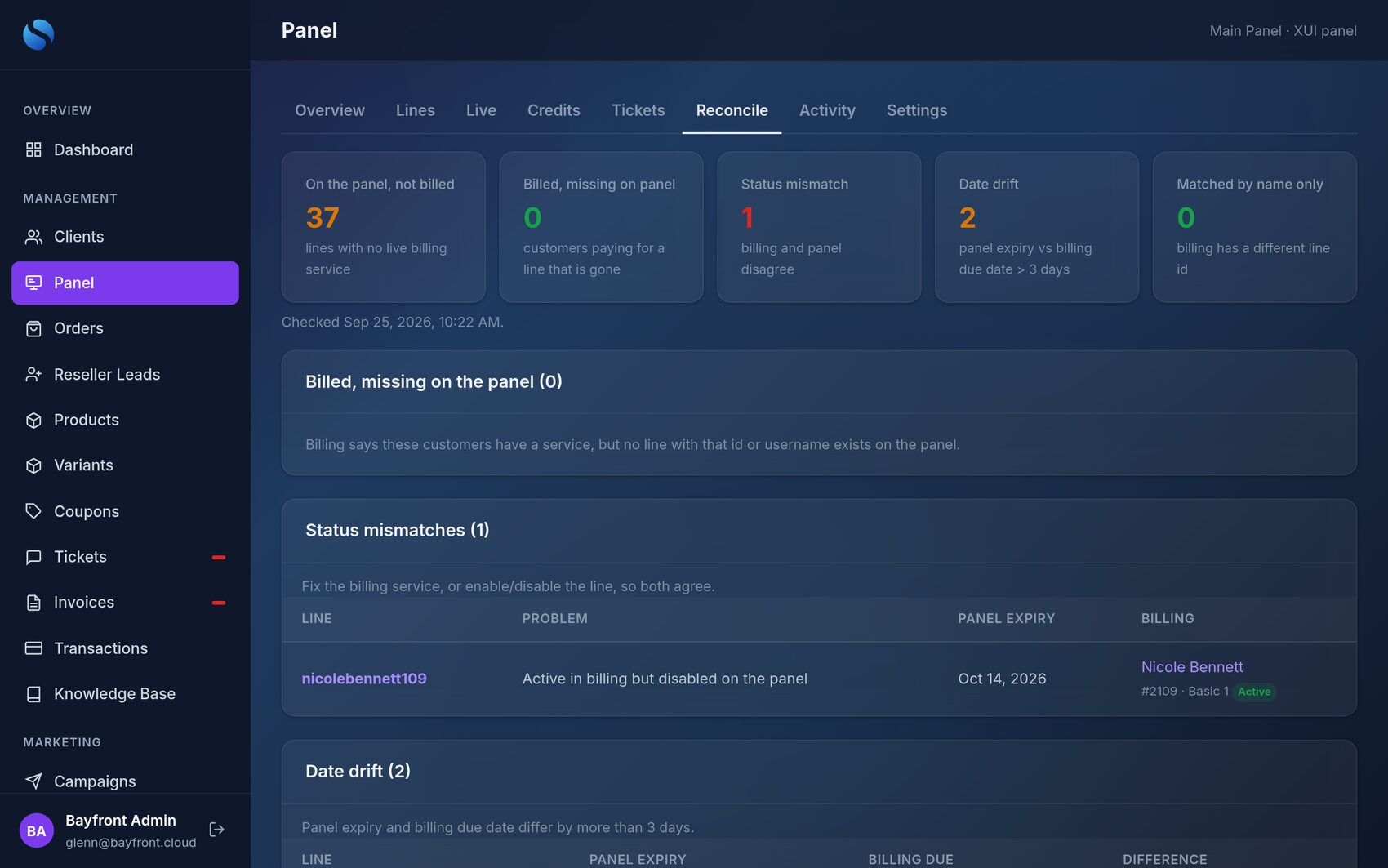
- On the panel, not billed — lines nobody is paying you for.
- Billed, missing on the panel — customers paying for a line that’s gone.
- Status mismatches — active in billing but disabled on the panel, or the reverse.
- Date drift — panel expiry and billing due date out of step.
Built for teams
- Every change is logged — who did what, to which line, when, and the credits it cost.
- Choose who can make changes; everyone else can view.
- Provider tickets — open and follow tickets with your panel provider from Admin.
- Works with XUI One (including regular resellers) and Best Panel.
A portal your customers actually use — so they stop texting you
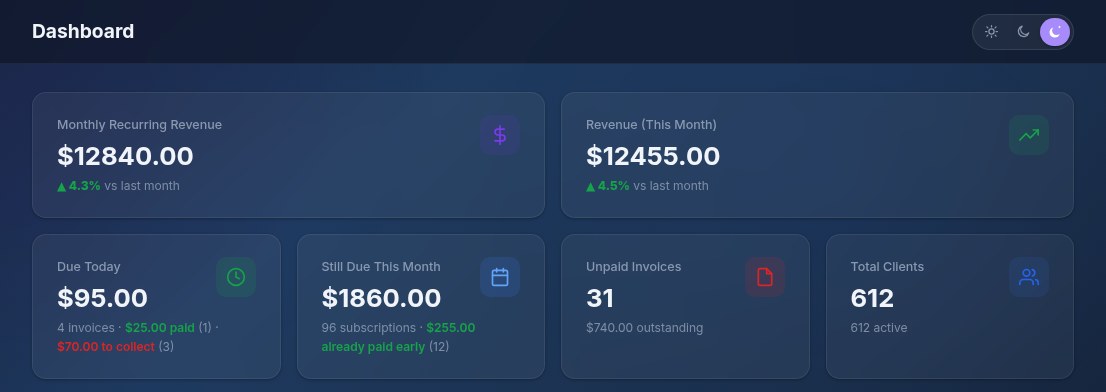
Everything a subscriber needs, in Light, Dark or Midnight — in your colours, under your brand and on your domain.
⧉Every playlist string, one tap away
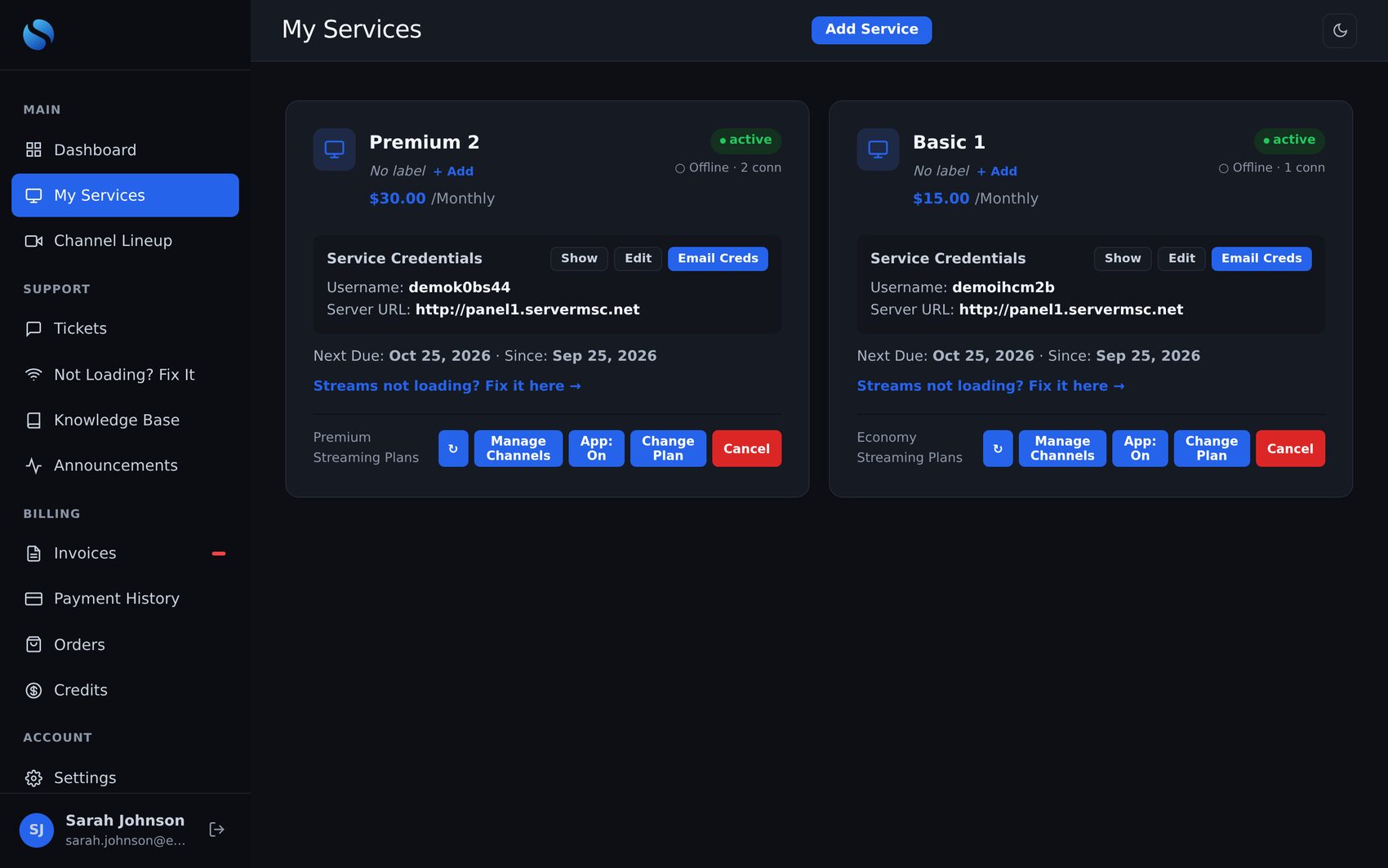
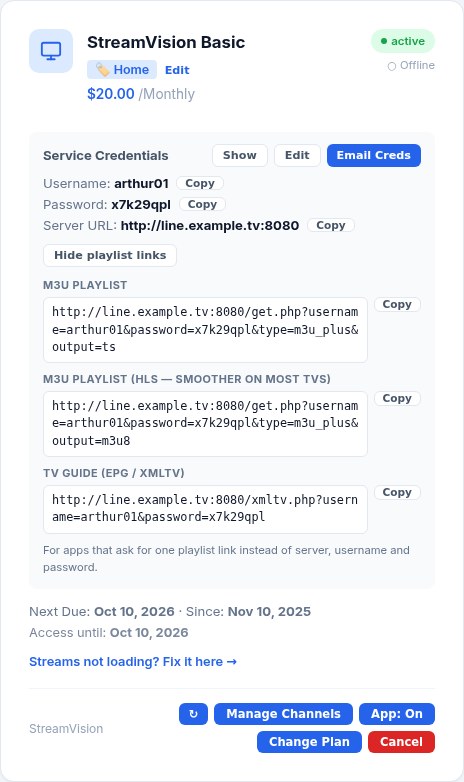
Some apps only take a single playlist link — scan a QR code on the TV, paste one string, done. Customers copy the M3U, M3U (HLS) or TV guide link straight from My Services, and the server address stays in plain view for apps that ask for server, username and password.
- All three links are in the welcome email and in “Email Creds”.
- Your staff see the same links, with Copy, on the client’s page in Admin.
- Built from each panel’s own server address — nothing to type.
Services & logins
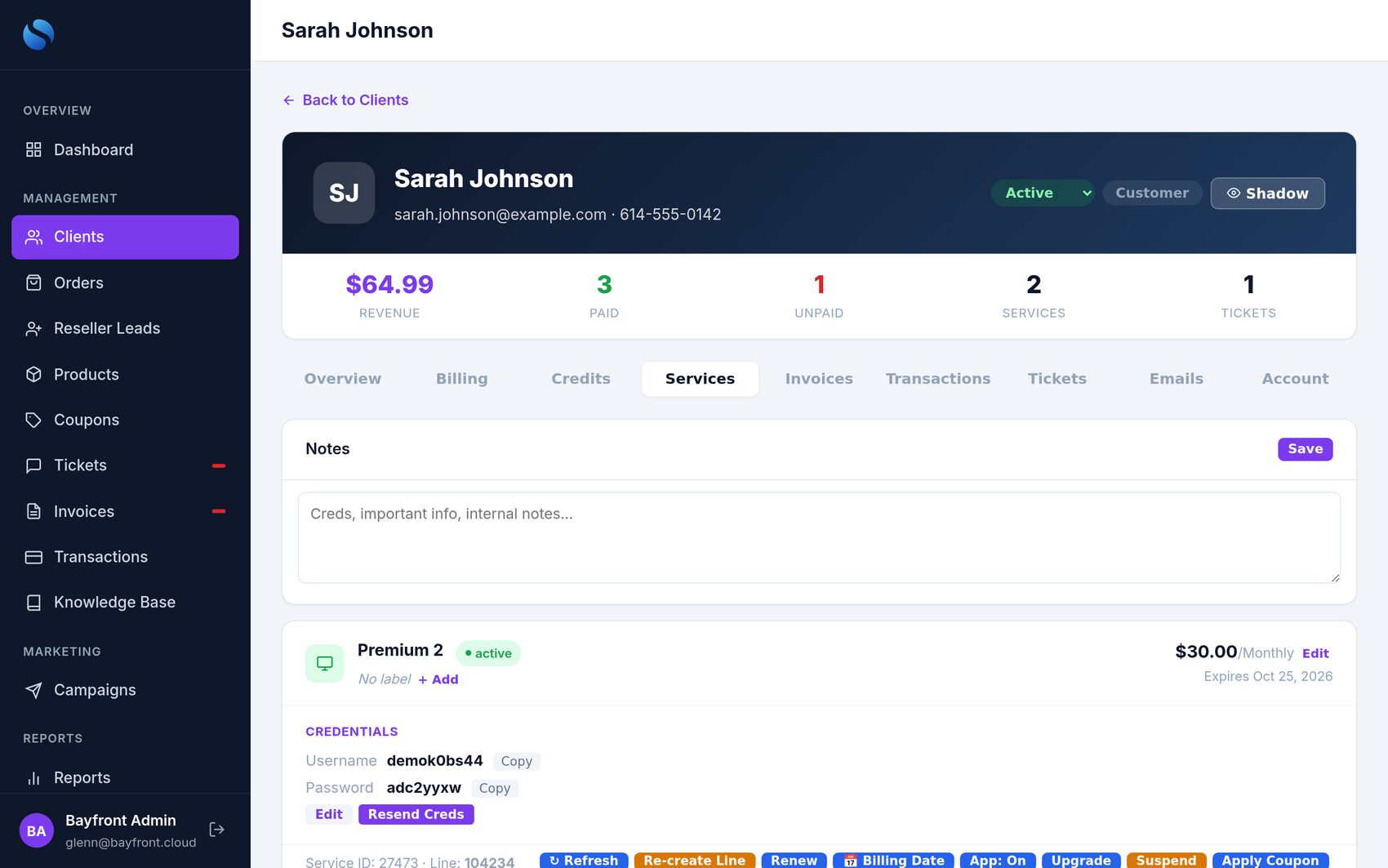
Show credentials, email them to themselves, see whether they’re streaming, turn the app on/off per service — and copy any playlist link (M3U, HLS, TV guide) in one tap.
Pay & history
Pay invoices, view payments, add account credit, download PDF invoices and yearly reports.
Trusted Contacts
Let a spouse or family member manage the account with their own login — billing only, support only or full access.
Answers before they ask
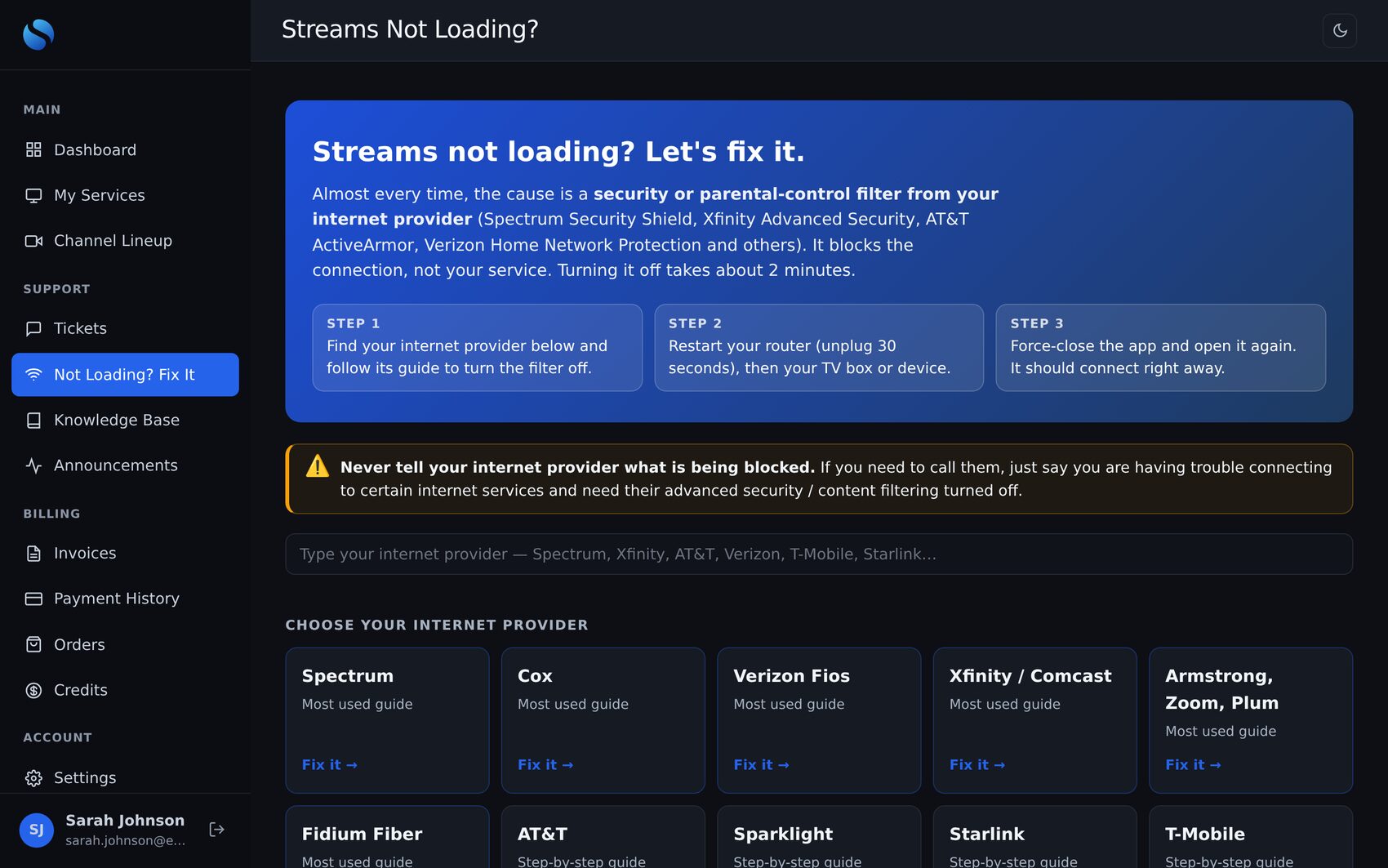
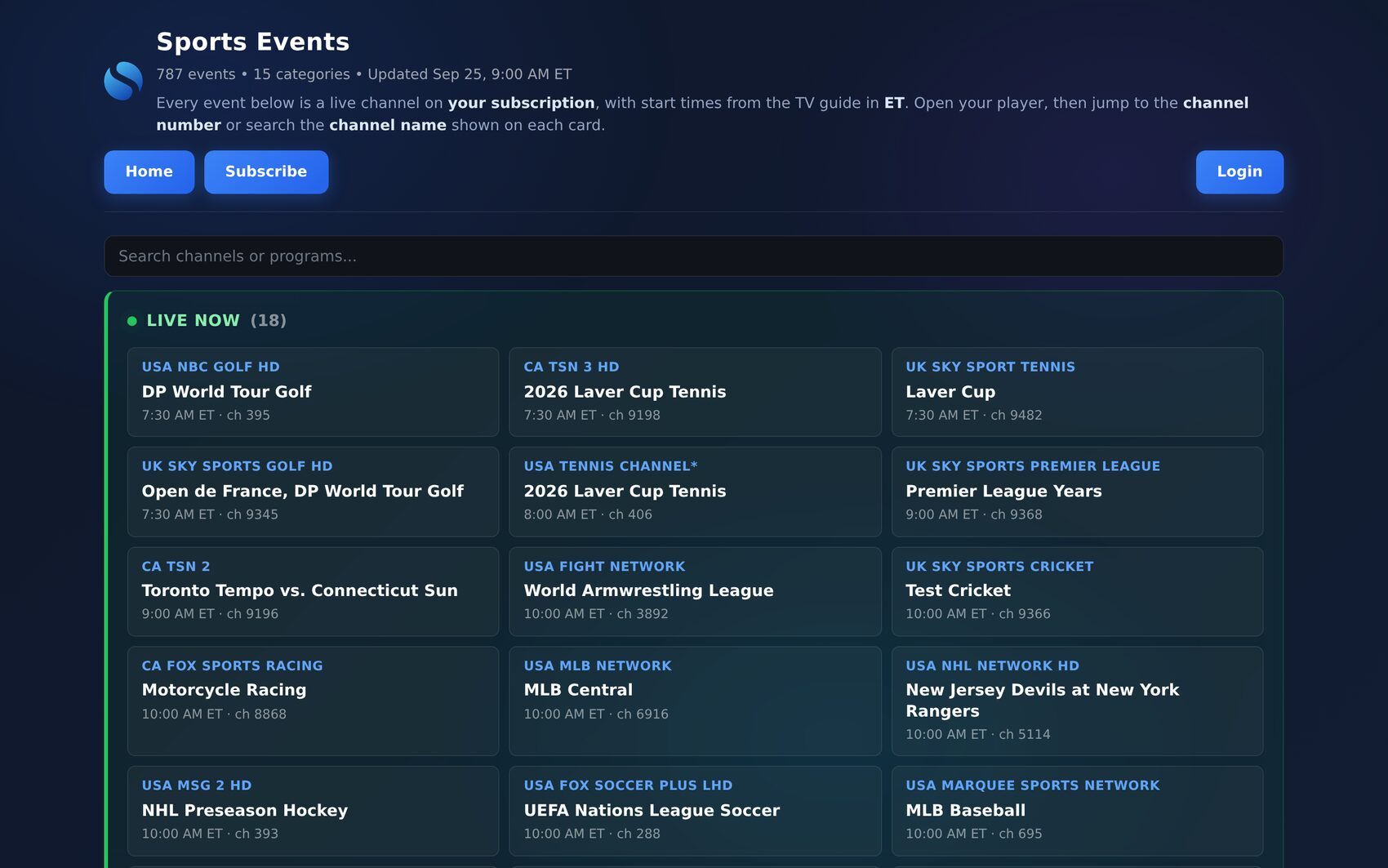
?Knowledge base
Installation guides, billing help and troubleshooting, with PDF download — or Email Me, which sends the PDF to the customer’s own inbox. Articles can be hidden and brought back later.
✉Support tickets
Photos and files, email notifications on every reply, and a “Recommended Article” card when staff attach a guide.
★Announcements
Outage notices and news pinned in the portal, with links to the right help article.
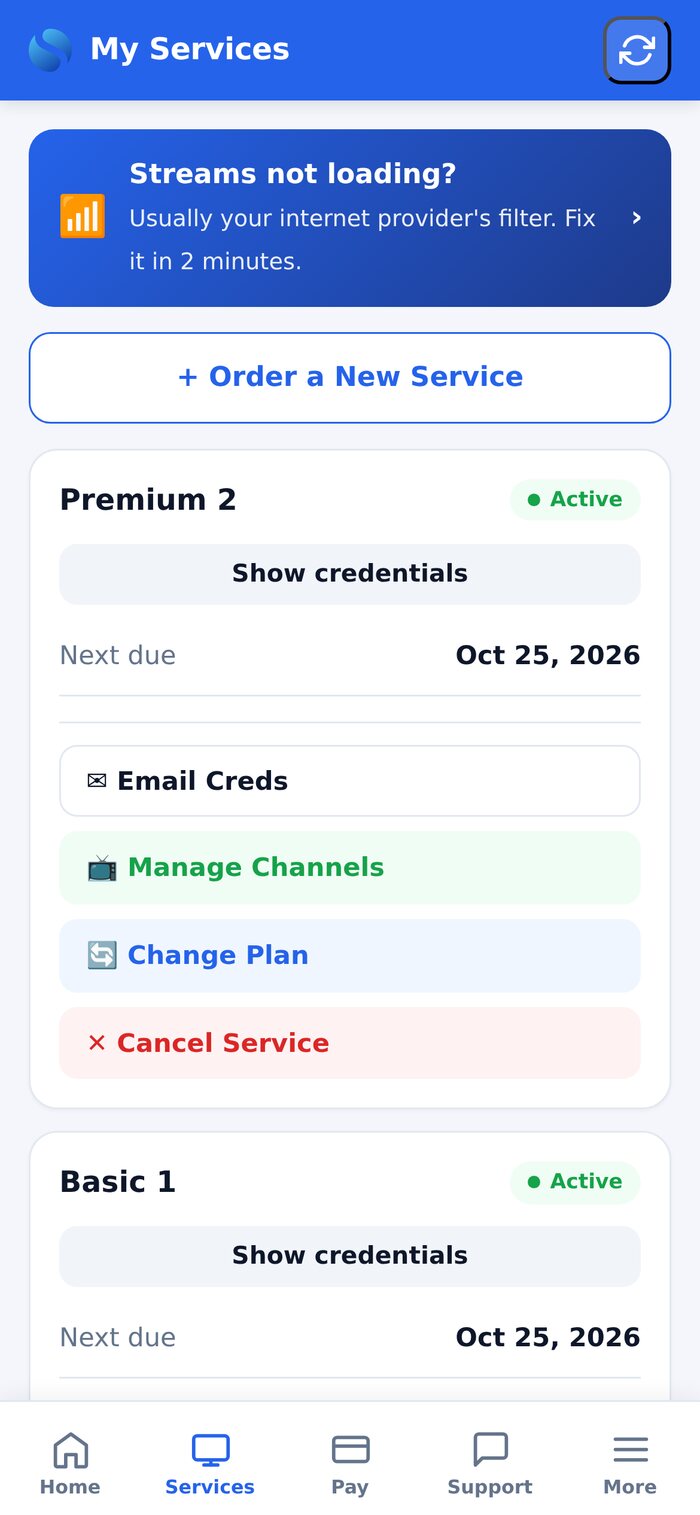
Mobile portal
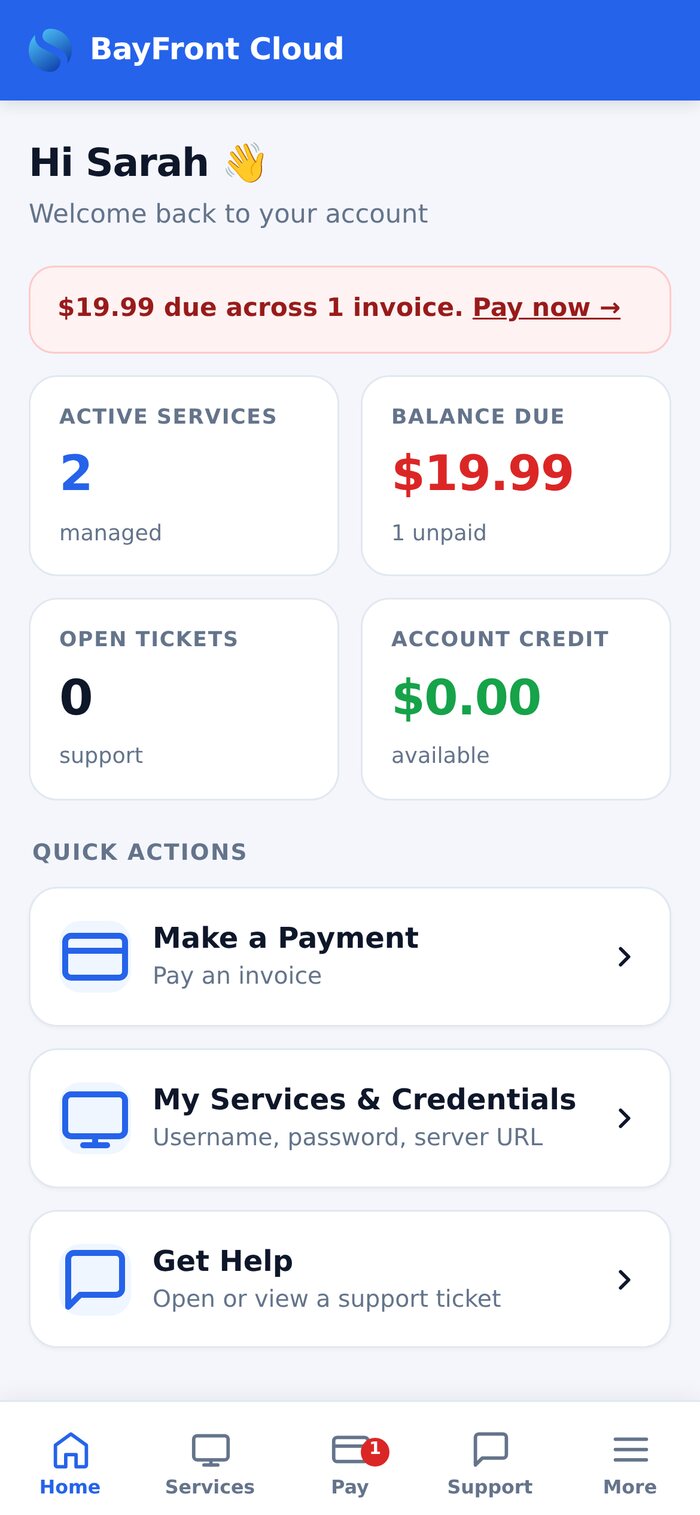
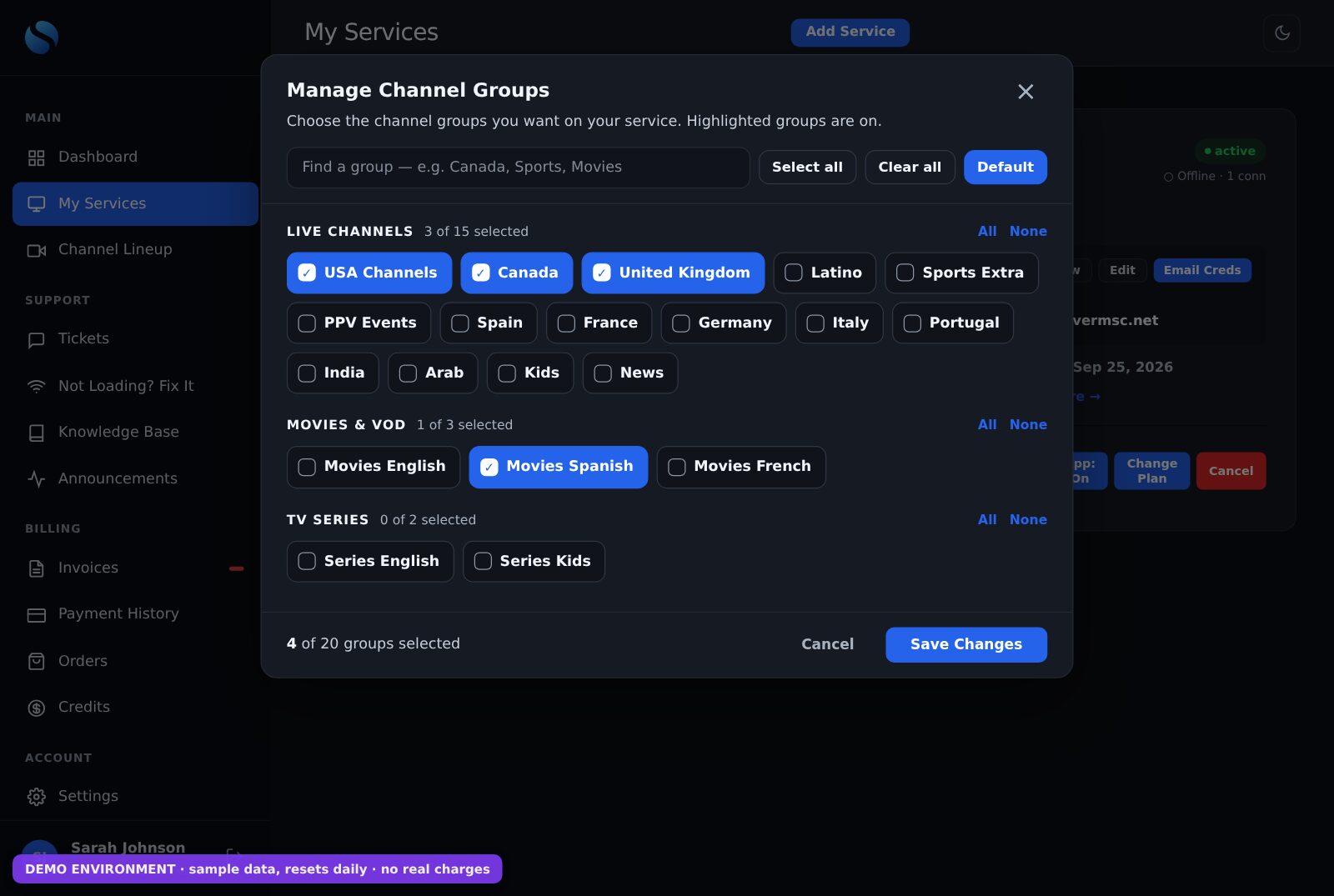
A phone-first portal with a tab bar: pay an invoice, show credentials, manage channels, change plan, open a ticket with a photo from the camera roll — all in a few taps.
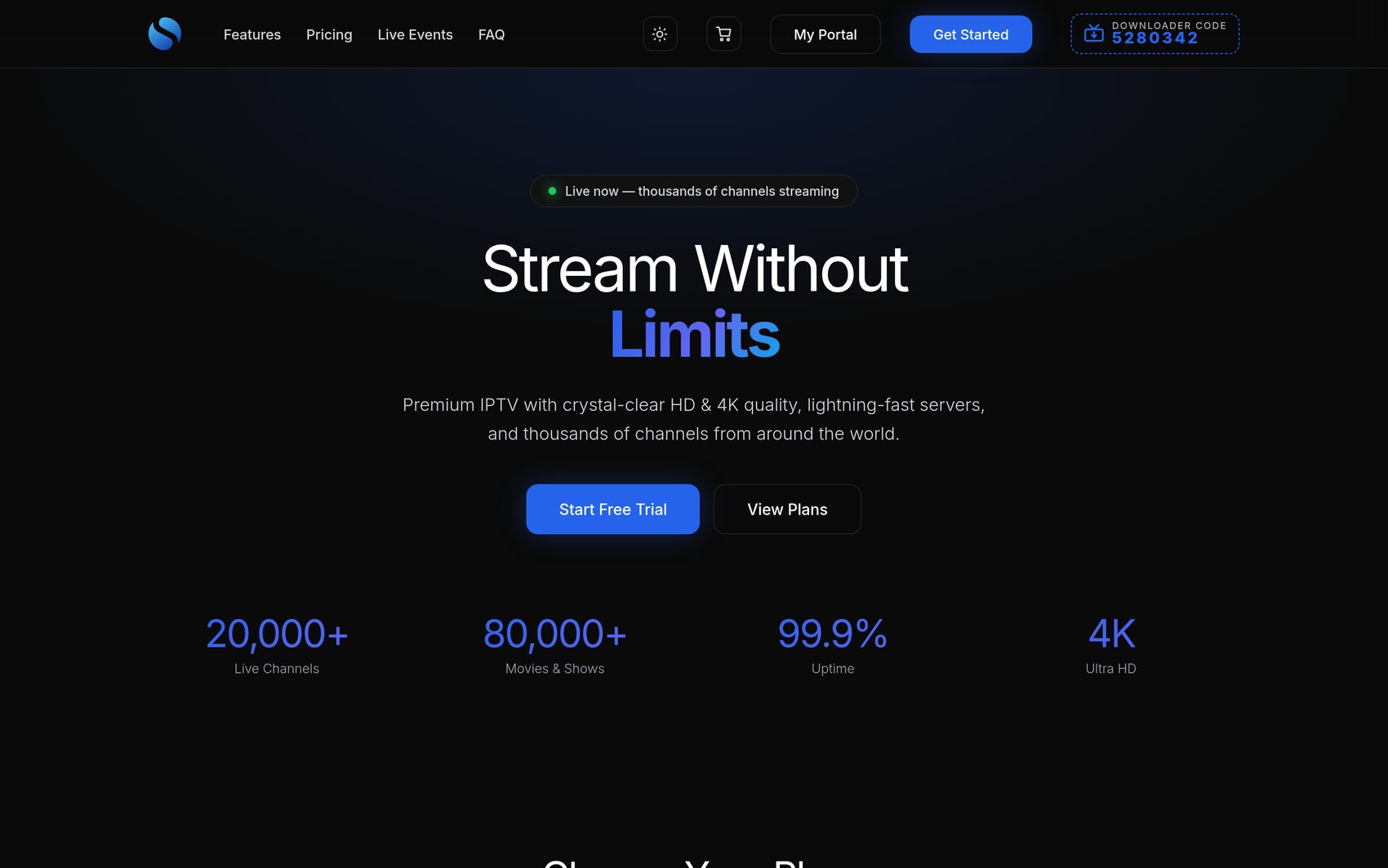
A shop that sells the way you sell
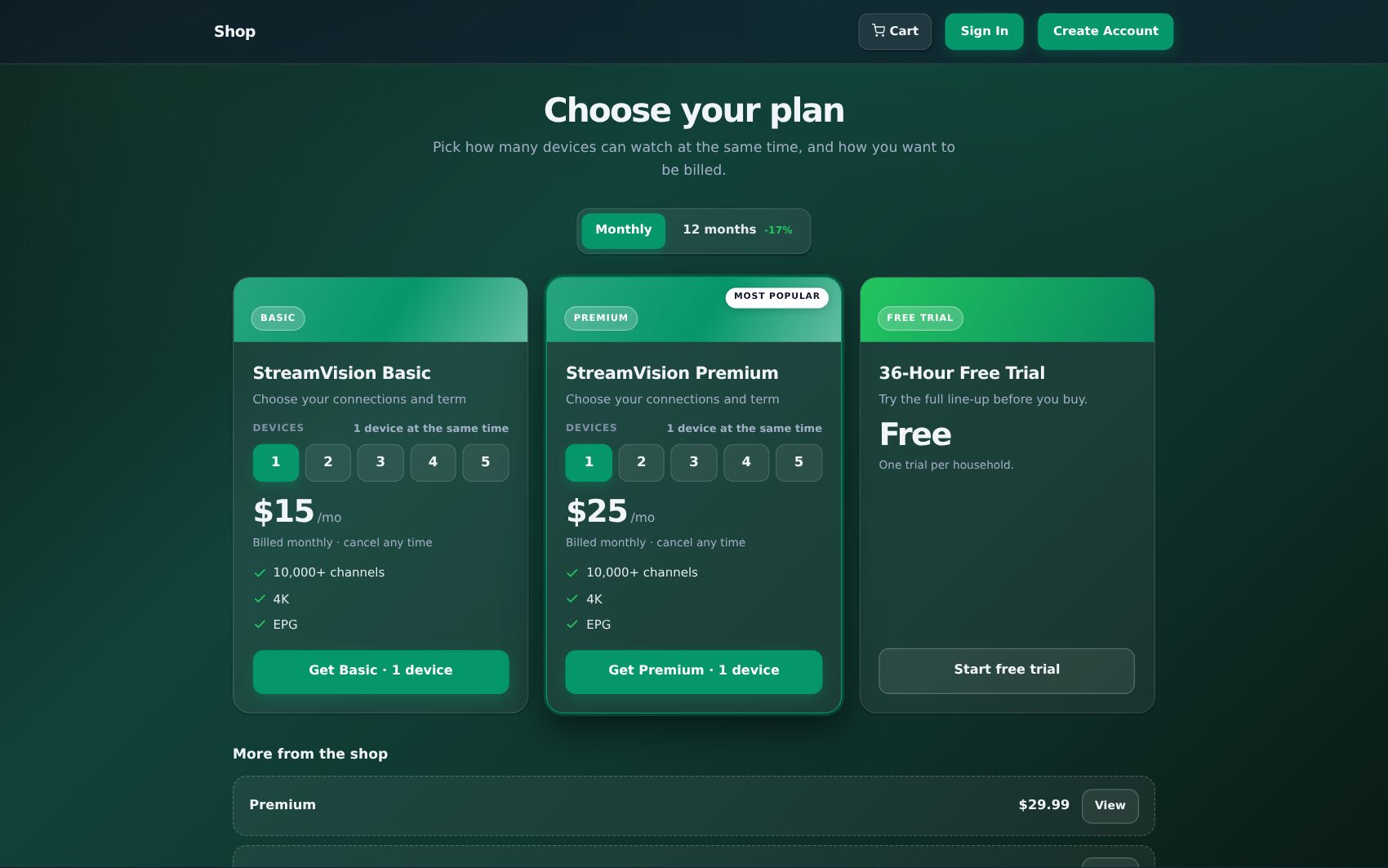
Choose how your plans are presented — classic product cards, side-by-side plan cards, a step-by-step plan builder or a compare table — in Admin, and switch any time. Every layout uses the same cart, coupons, referral discounts and checkout; only the way customers choose changes.
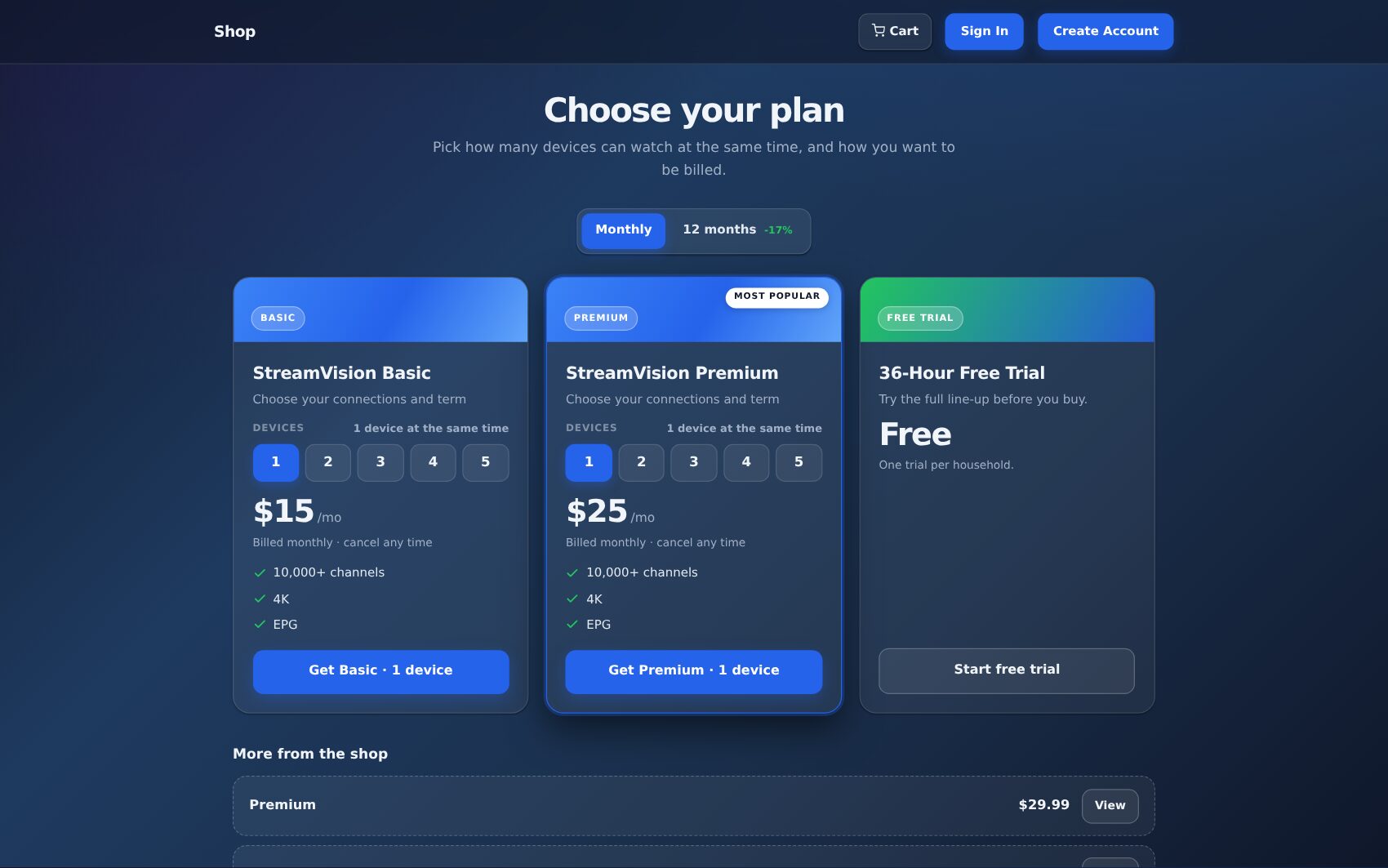
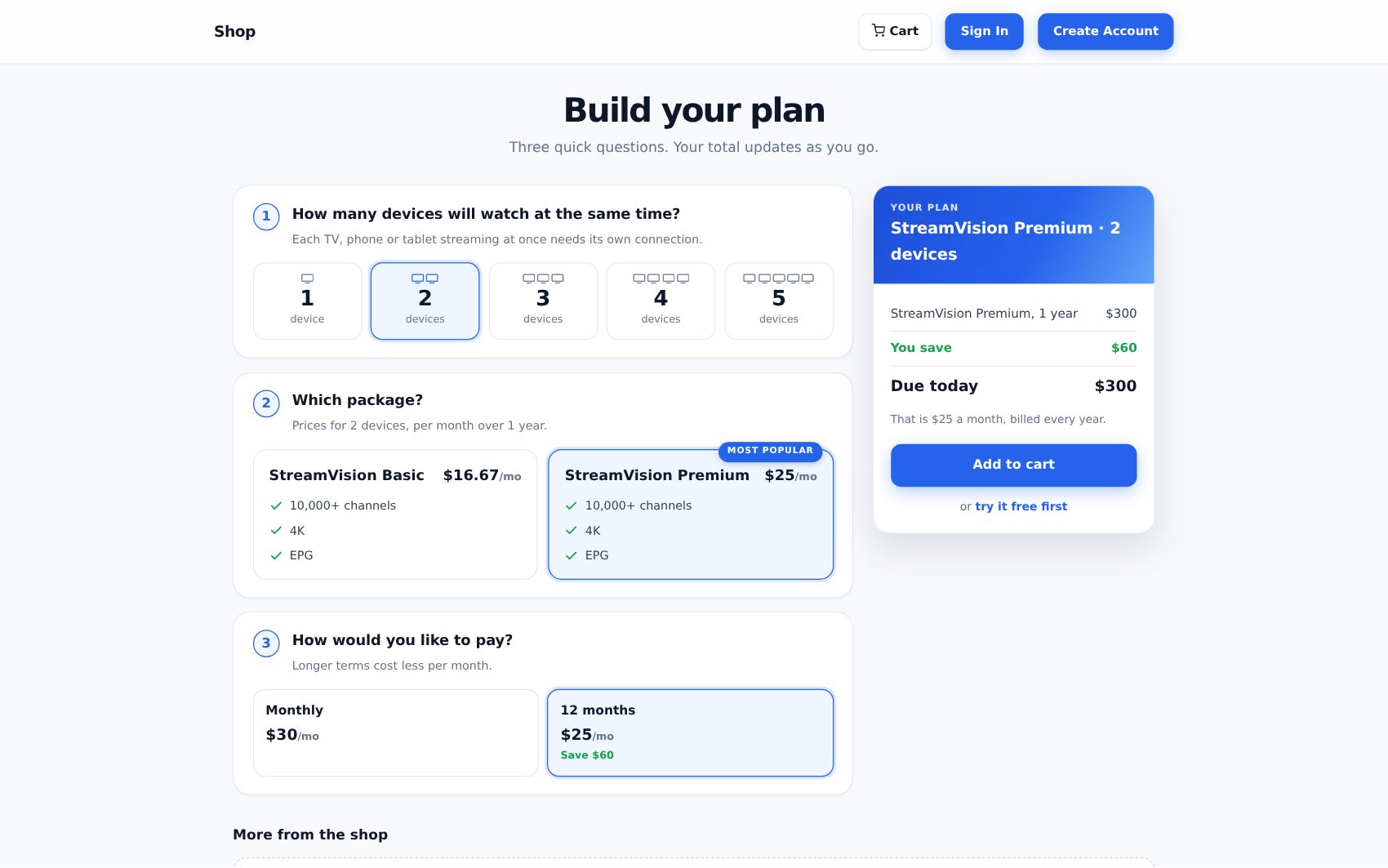
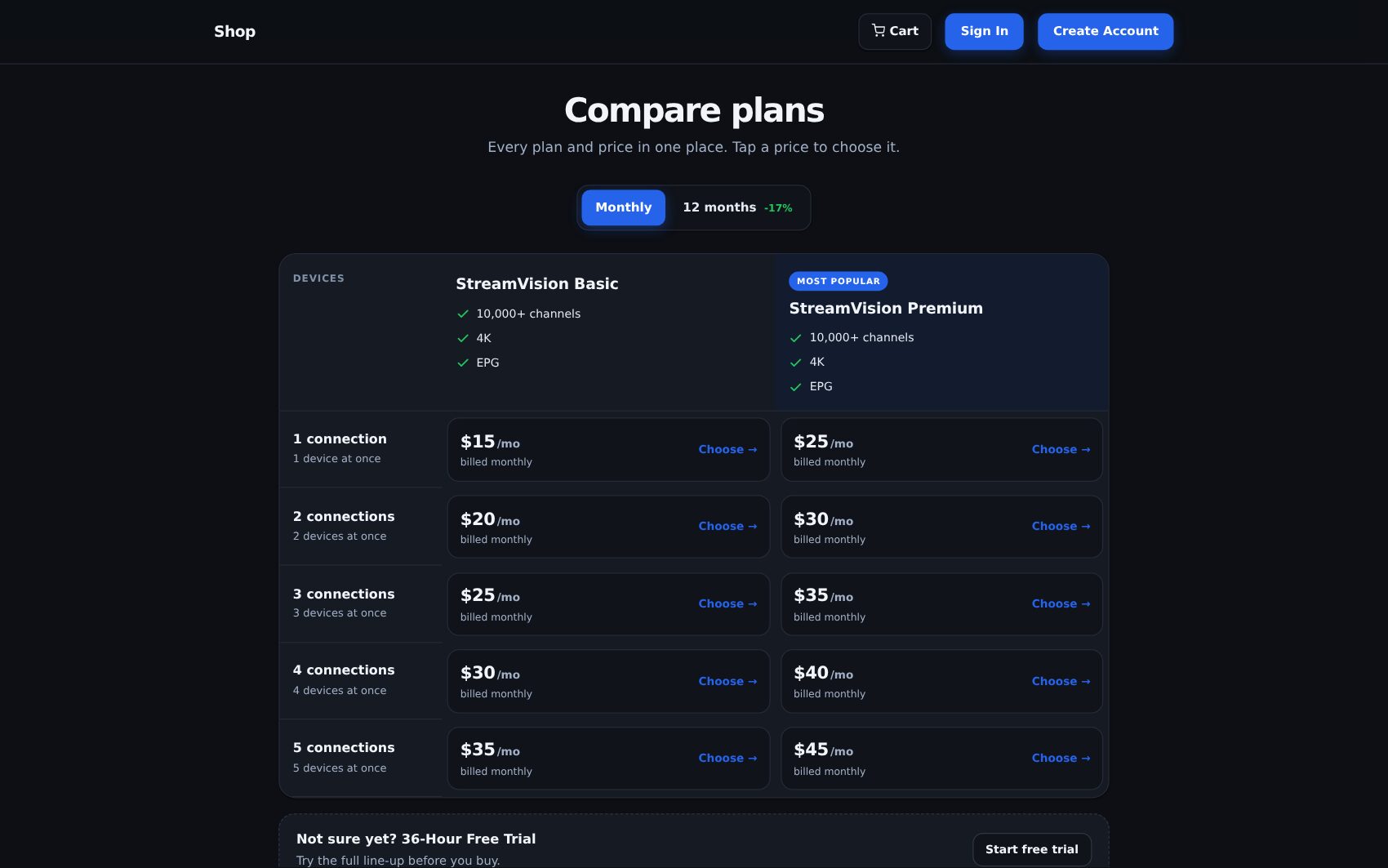
▦Built from your catalog
Plans, device counts, terms and prices come straight from your products — built in minutes with Import from Panel. Nothing to design or code.
✓Never a pointless question
Only one package? The builder skips “which package”. One term? No term switch. Devices and simple items are listed underneath.
⇄Sign in inside the cart
New customers create an account — or existing ones sign in — right in the cart and carry on to pay. Free trials are limited per customer.
Your colours everywhere — in one click
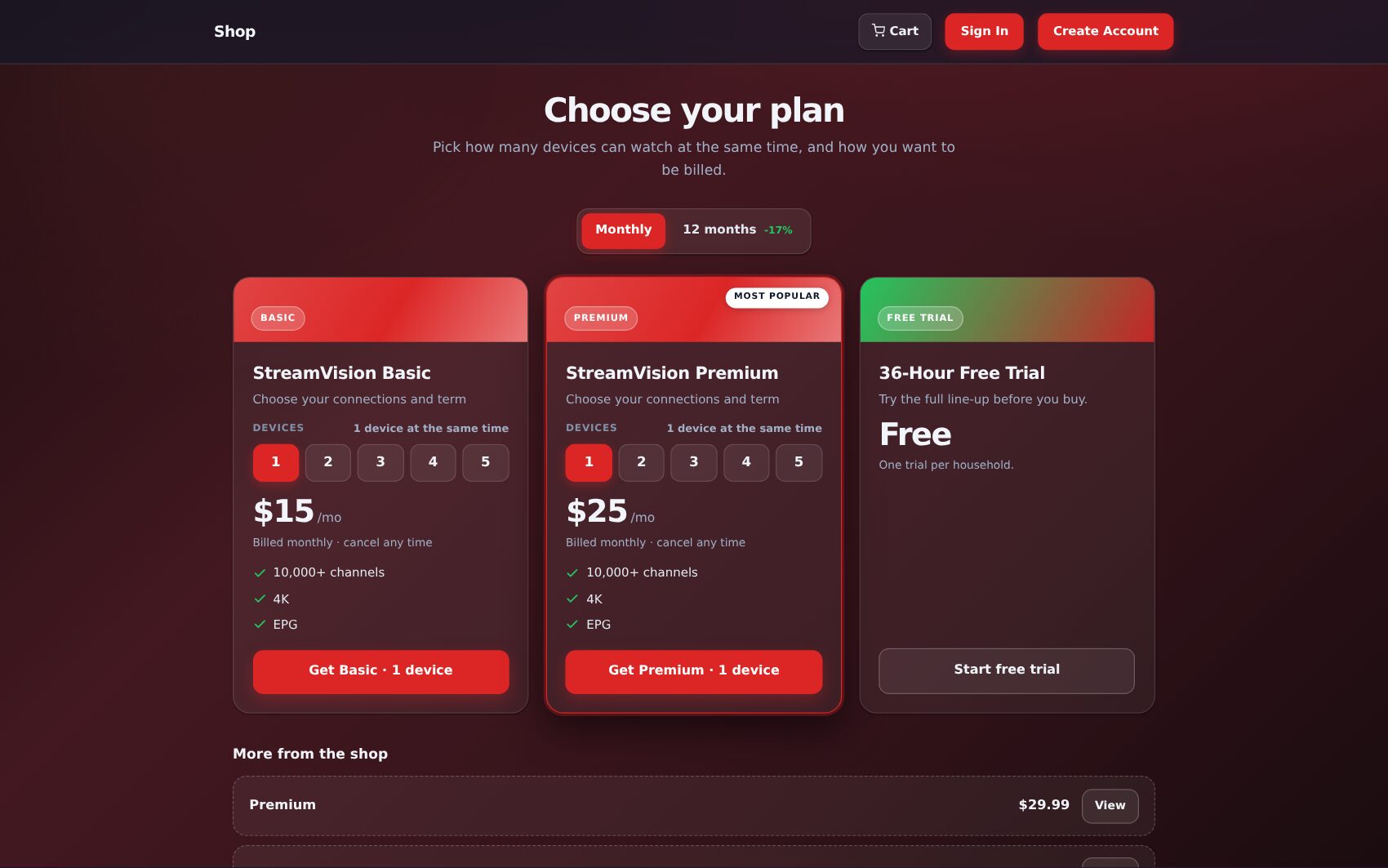
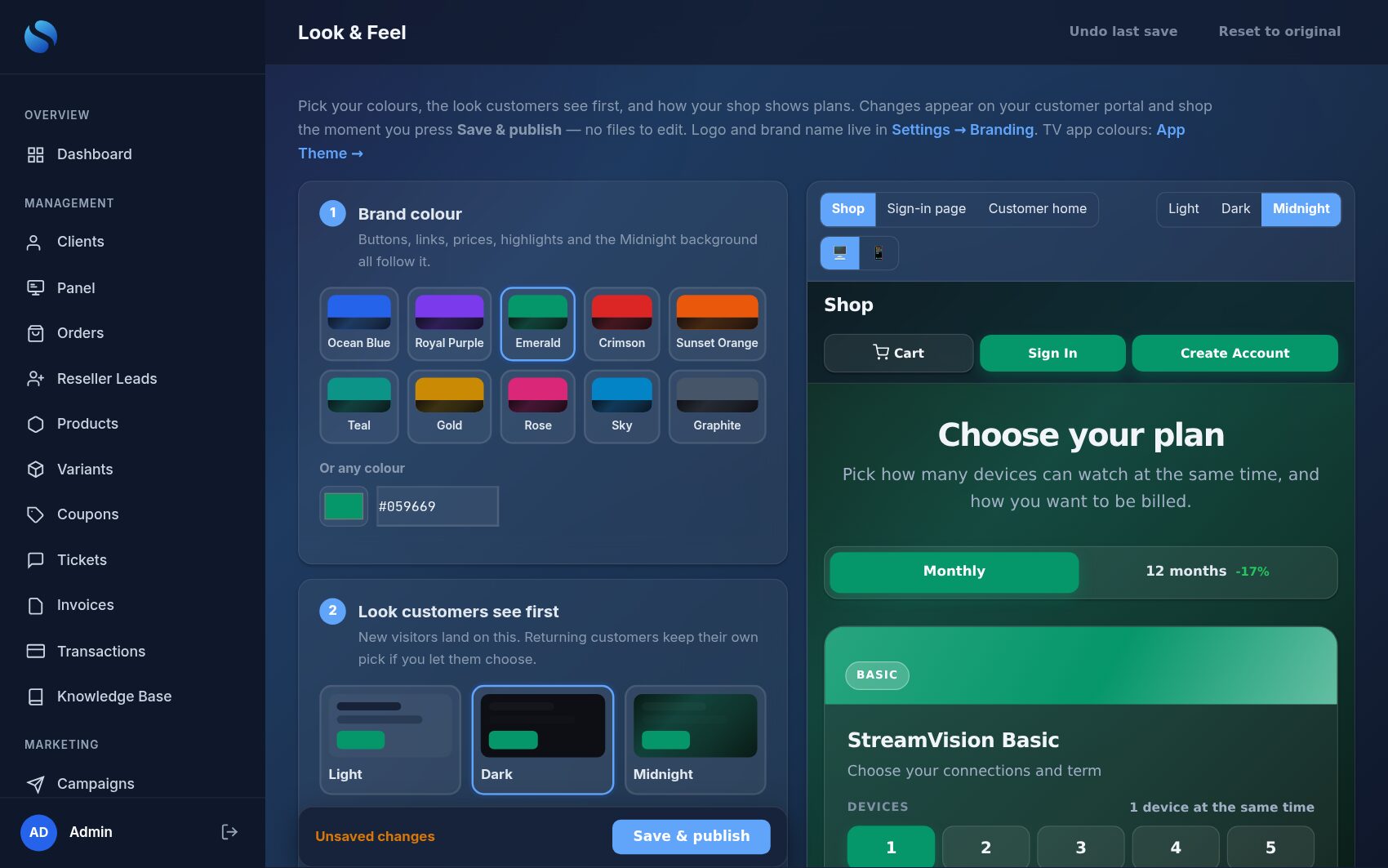
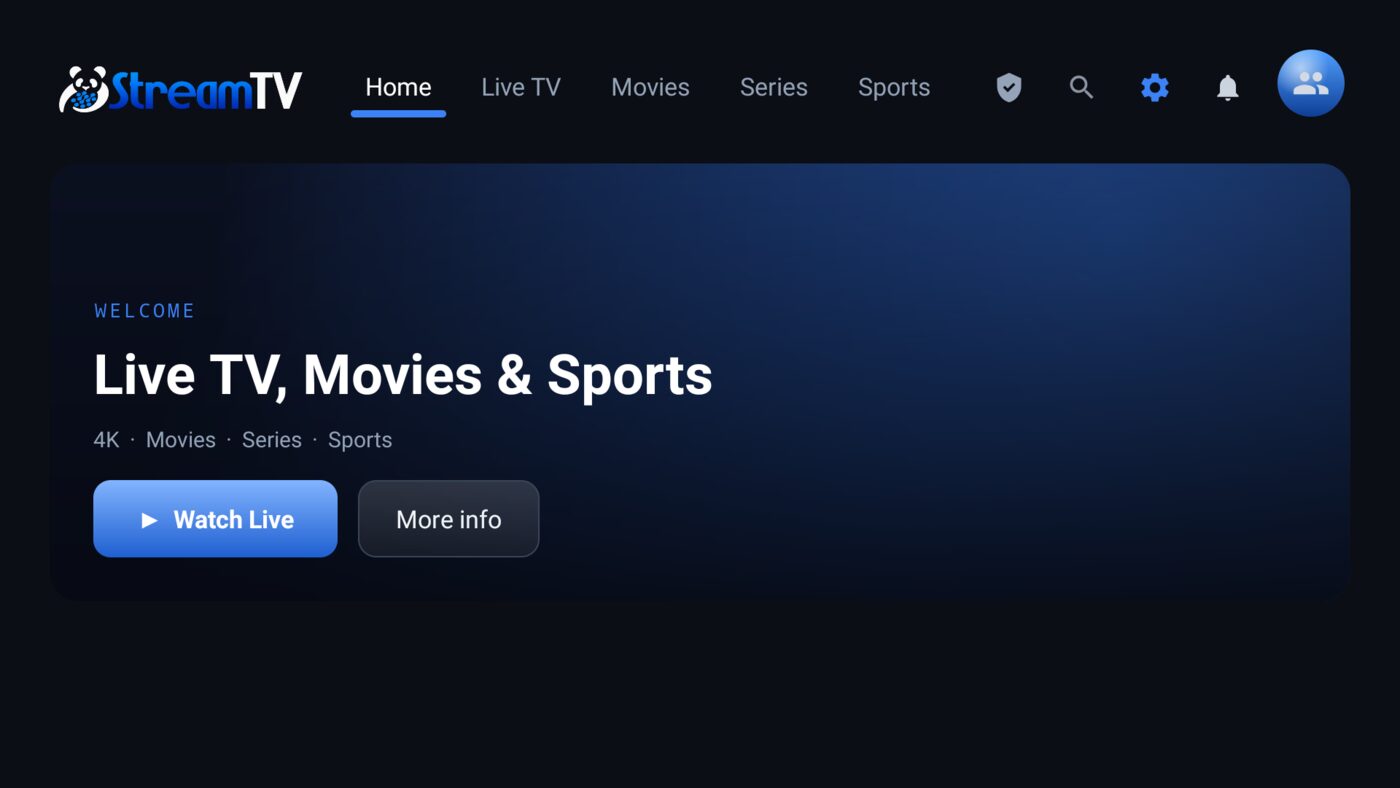
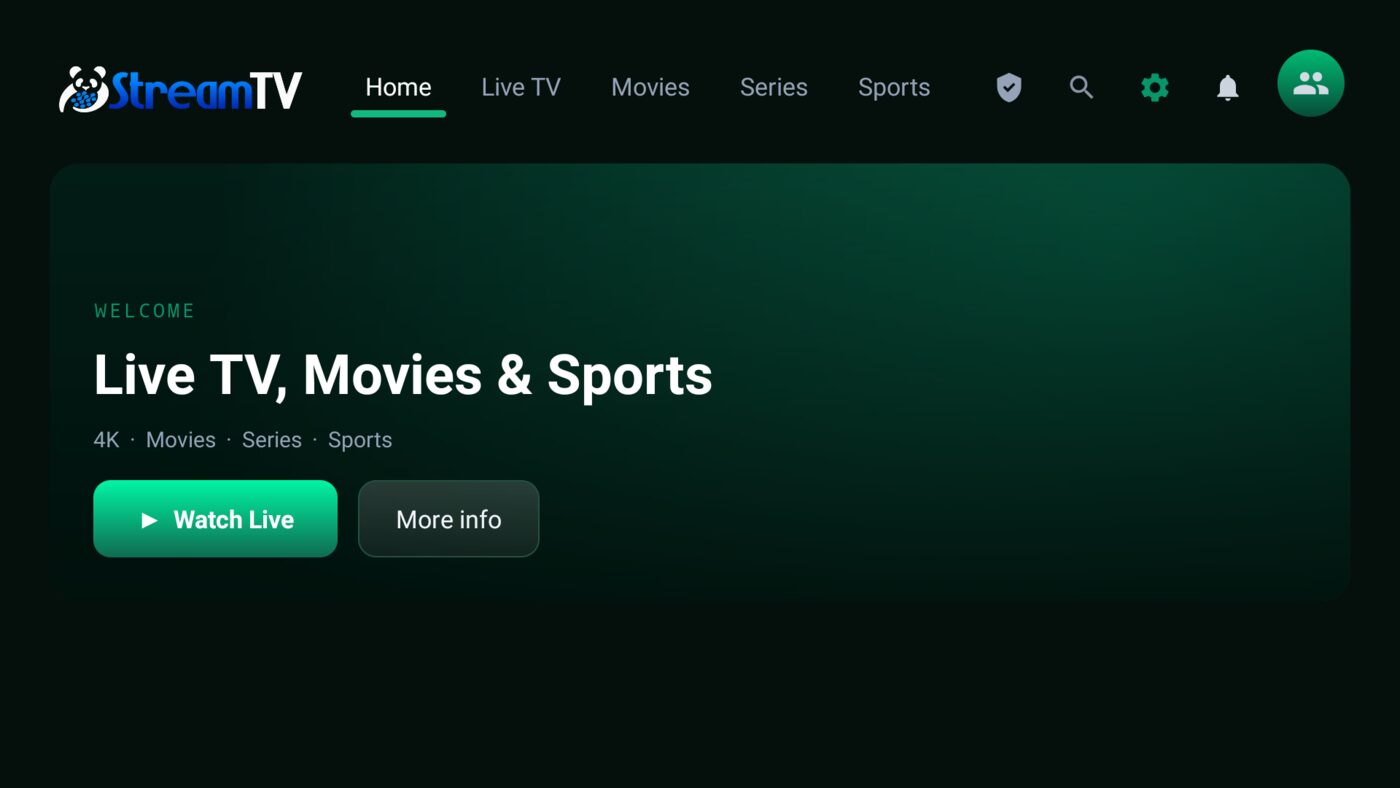
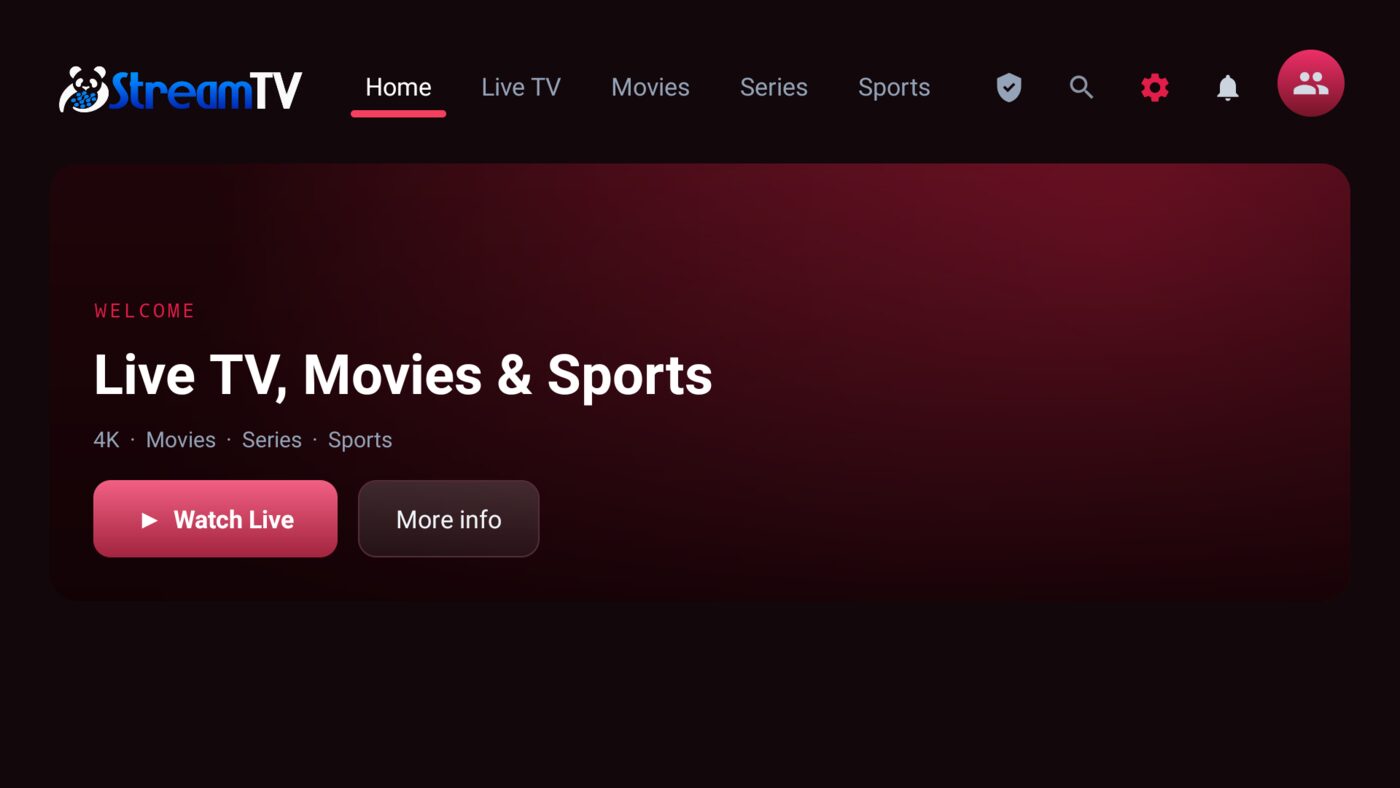
Pick one of ten palettes or any brand colour. Buttons, links, prices, highlights, the sign-in page and the deep Midnight background all follow — across the portal, the shop and the mobile portal. Choose the look new visitors see first (Light, Dark or Midnight) and whether customers can switch. Preview your real pages before you publish.
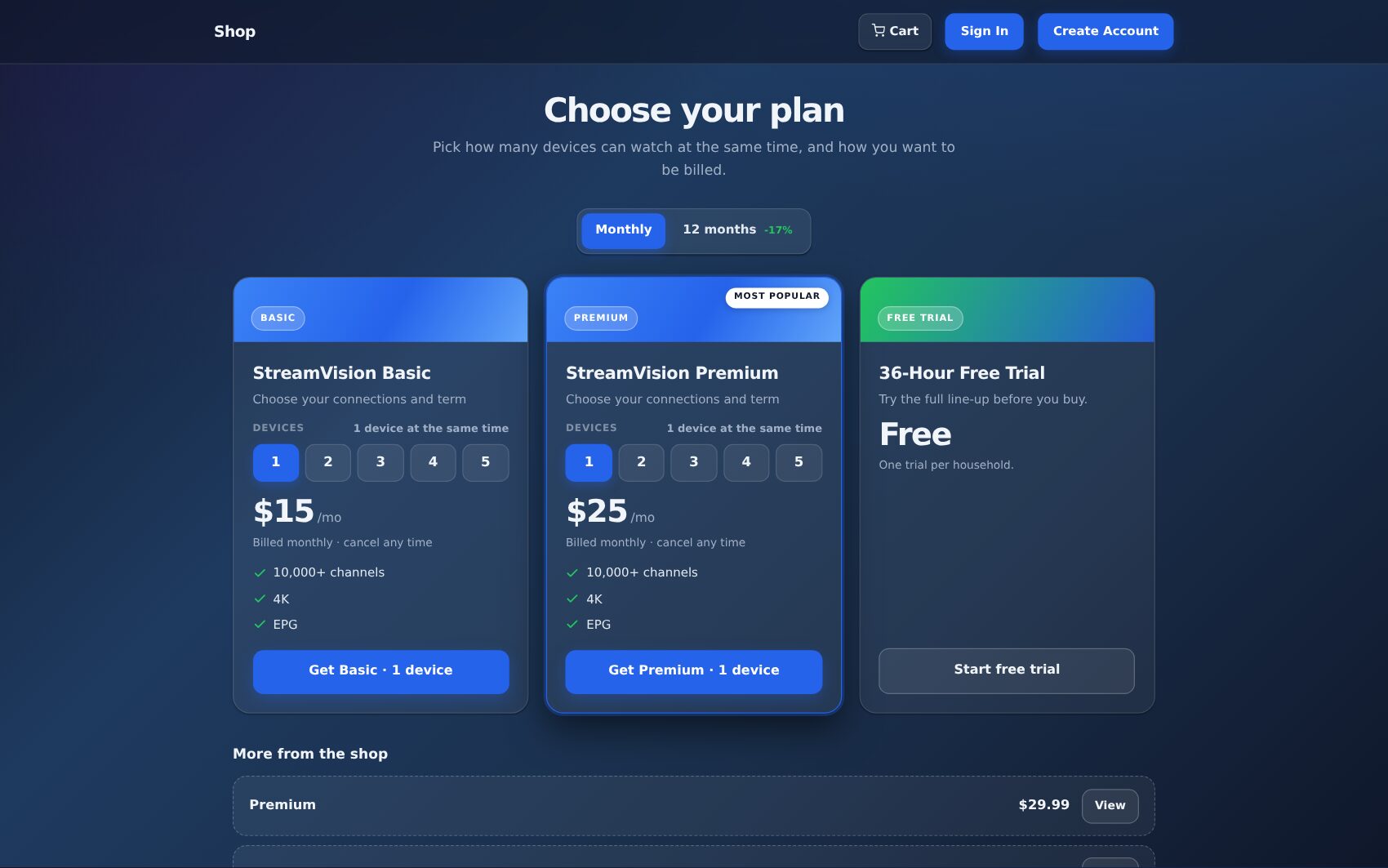
…and your TV app follows
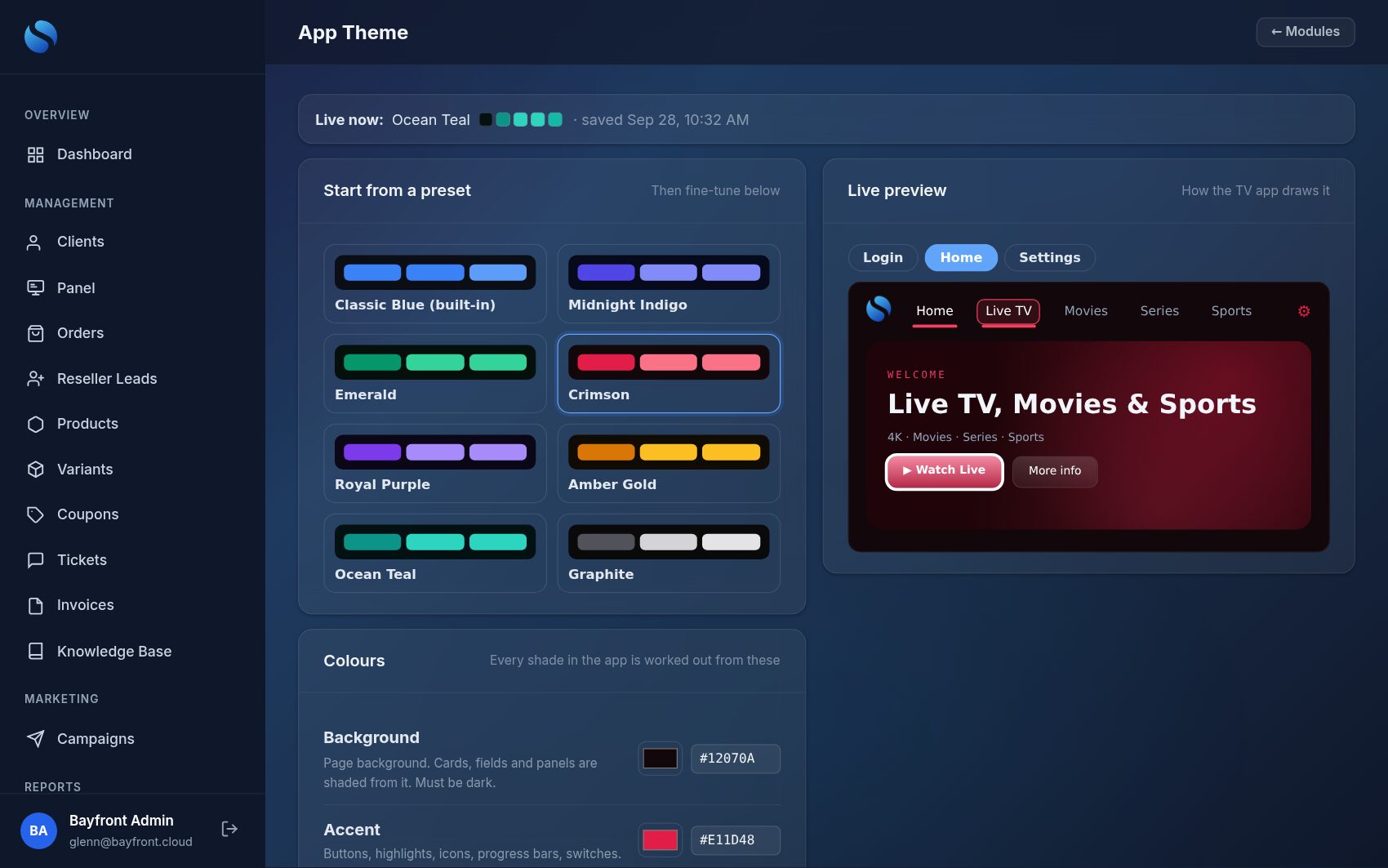
Set the app’s background, accent, selection highlight, sign-in tabs and cursor colours in Admin. Customers see the new look the next time they open the app — no new app build and no reinstall.
…and Admin works the way your staff like
Light, Dark or Midnight — each staff member picks their own with the switch at the top right of Admin. Your default stays the default for everyone else.
An app with your name on it — powered by your billing system
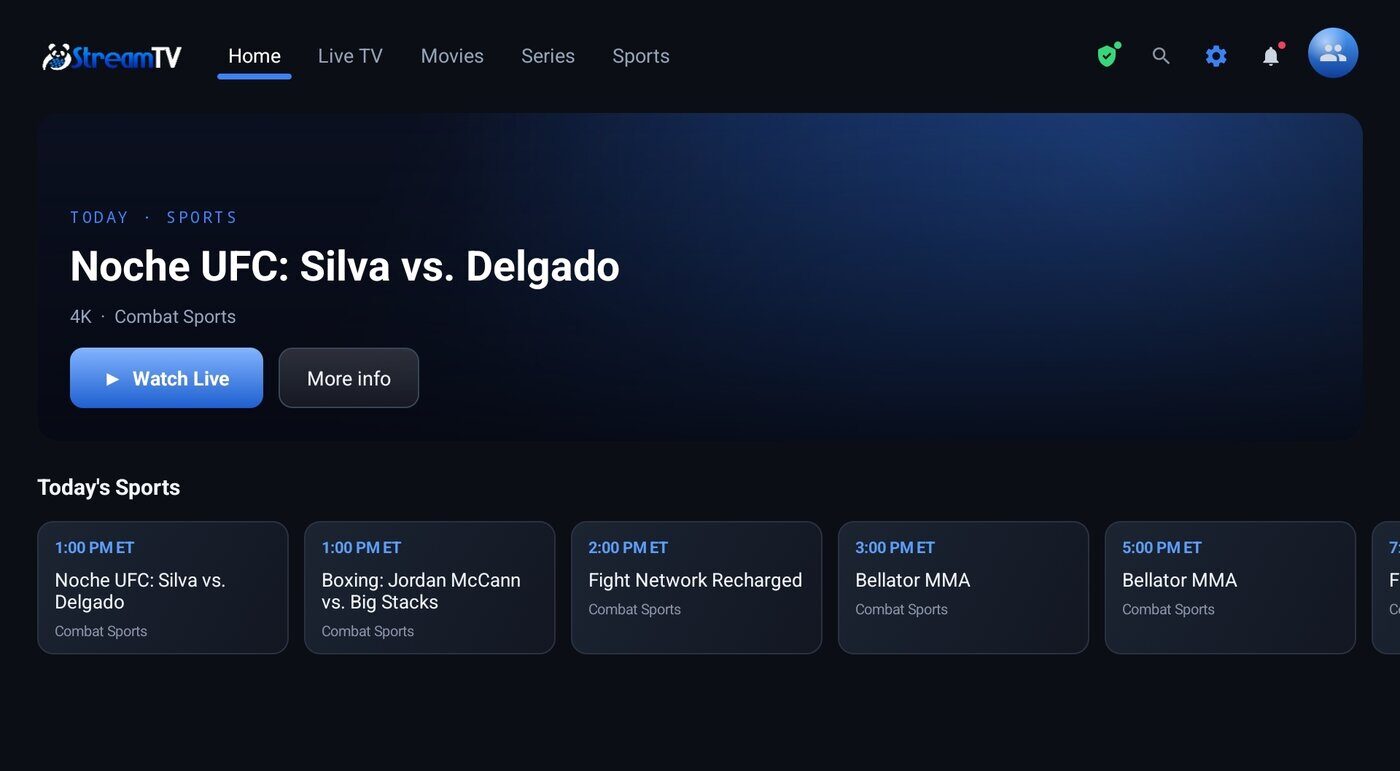
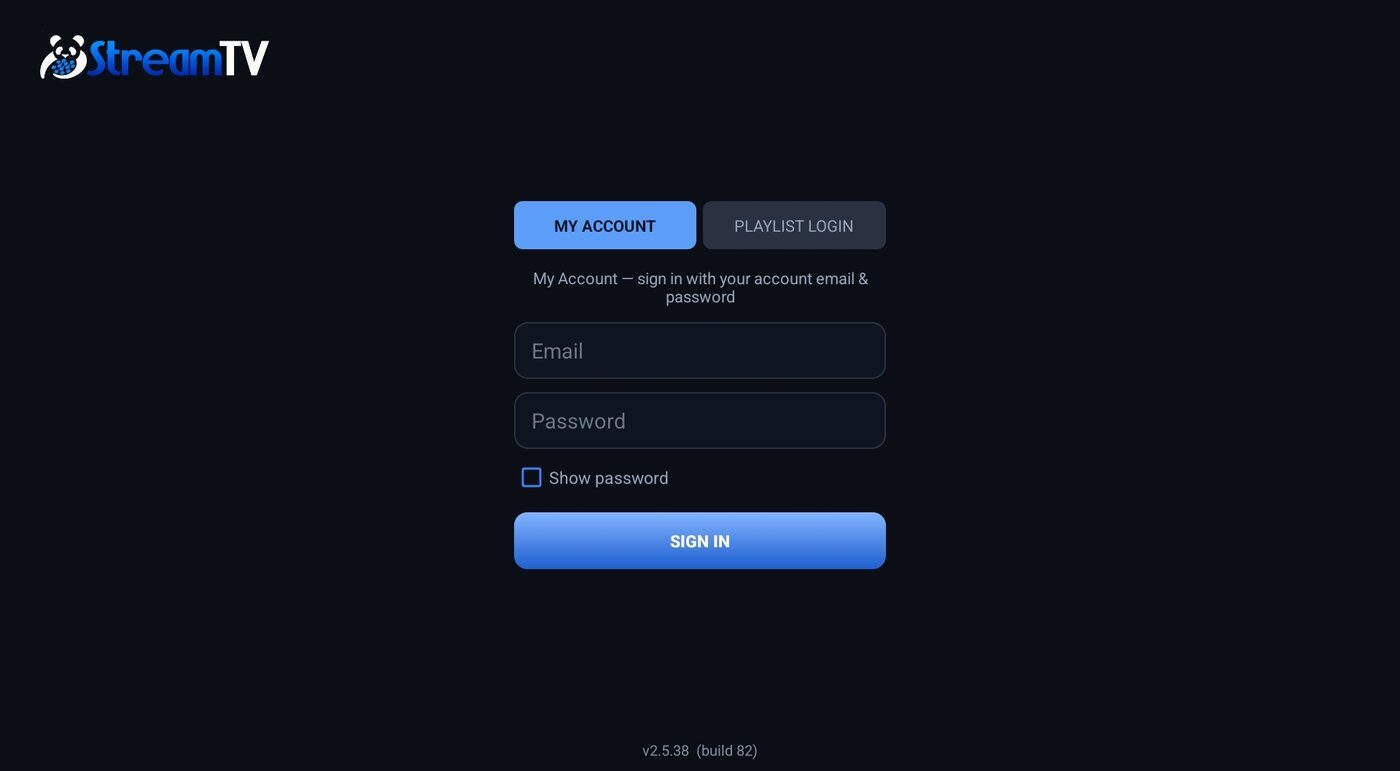
Android TV, Fire TV / Fire Stick, Google TV, and Android phones and tablets. Customers sign in with their portal account — no playlist URLs to type — and it looks and feels like the premium players they already know.
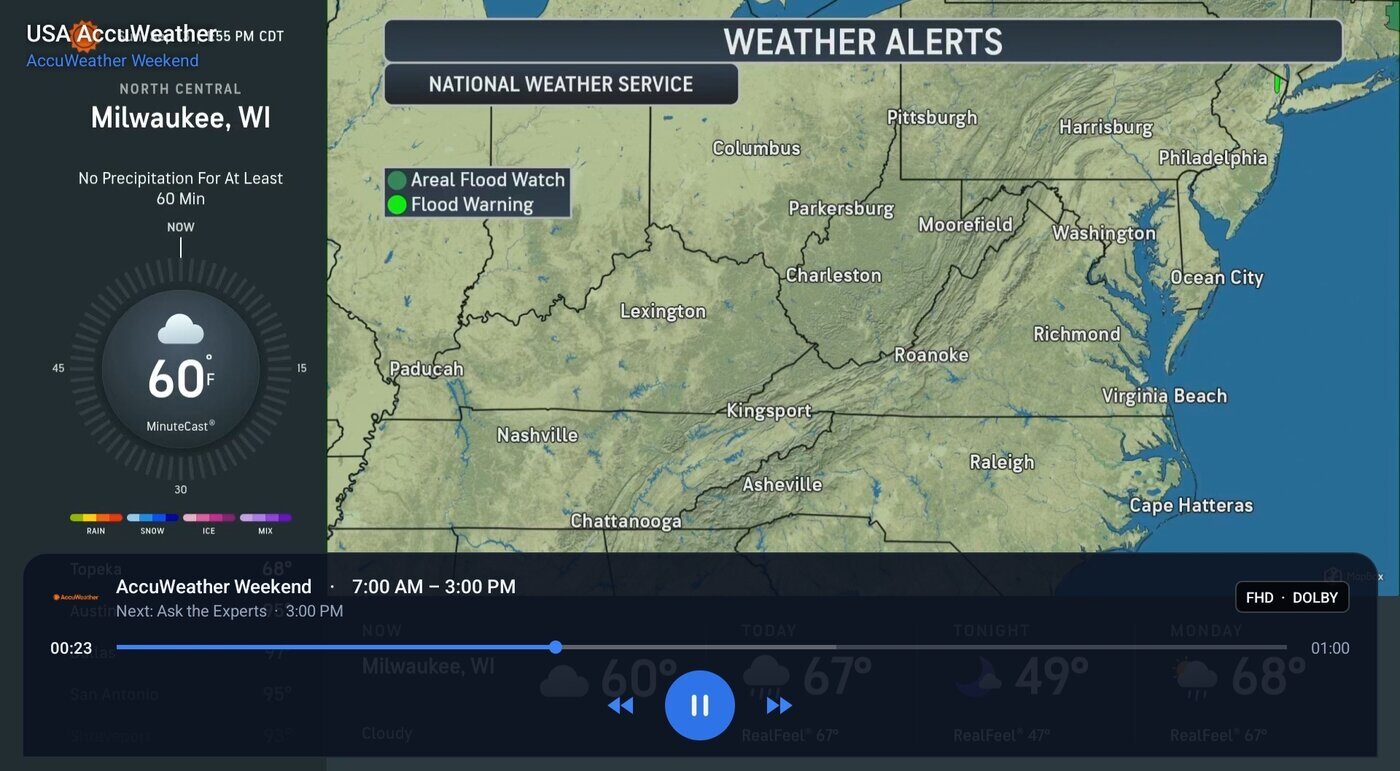
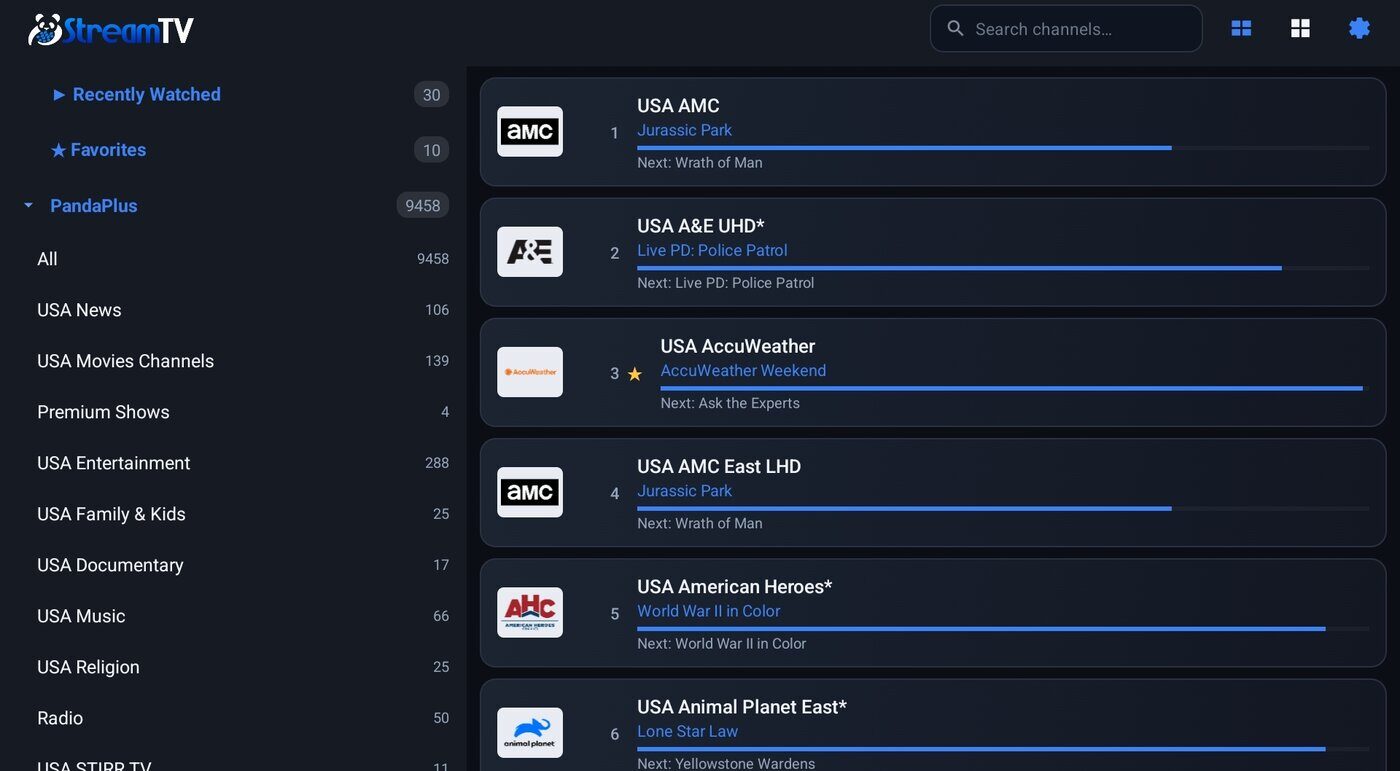
▶Live TV
Categories, search, Favorites, Recently Watched, channel logos and now/next. Channels reconnect themselves if a stream drops — a TV left on all day keeps playing.
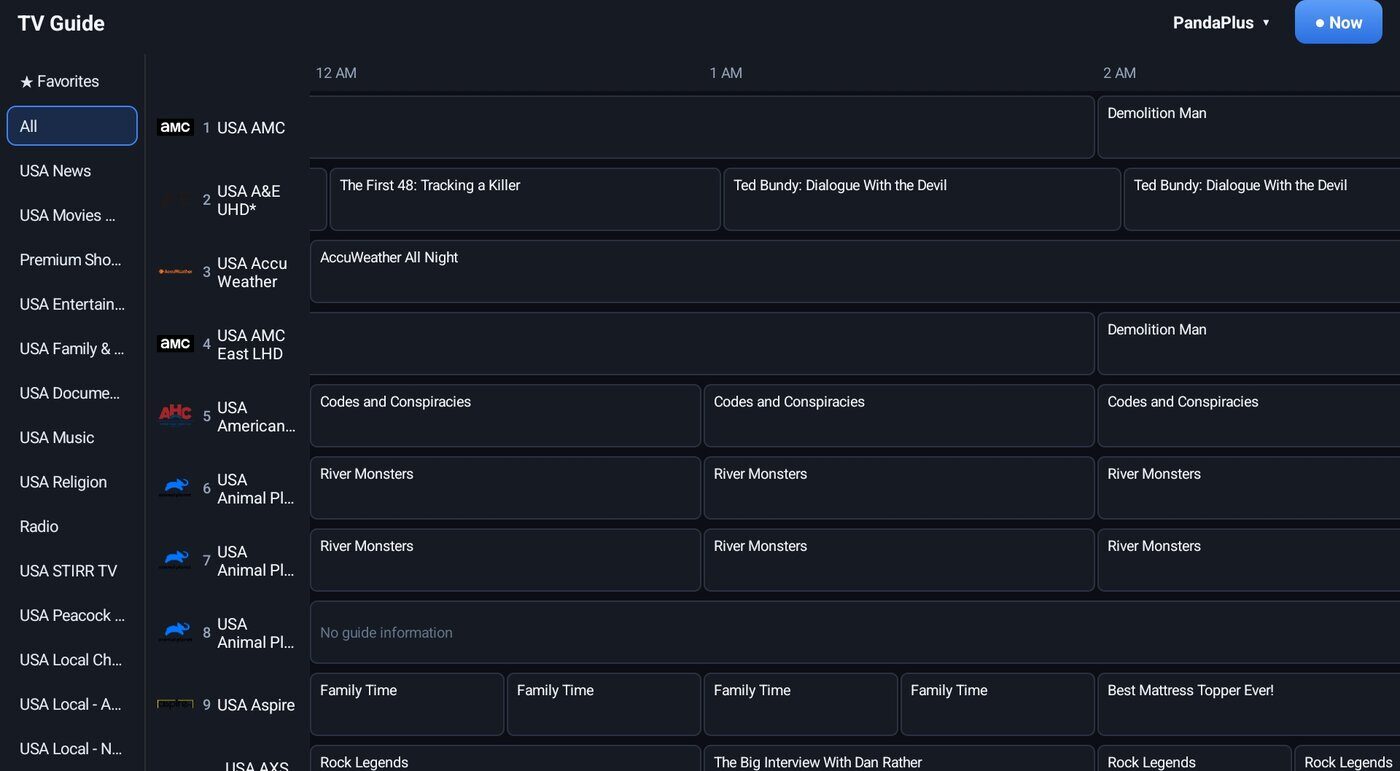
▦TV Guide
A timeline guide with a category rail, a Favorites filter, search, a playlist picker and channel logos — built for the remote.
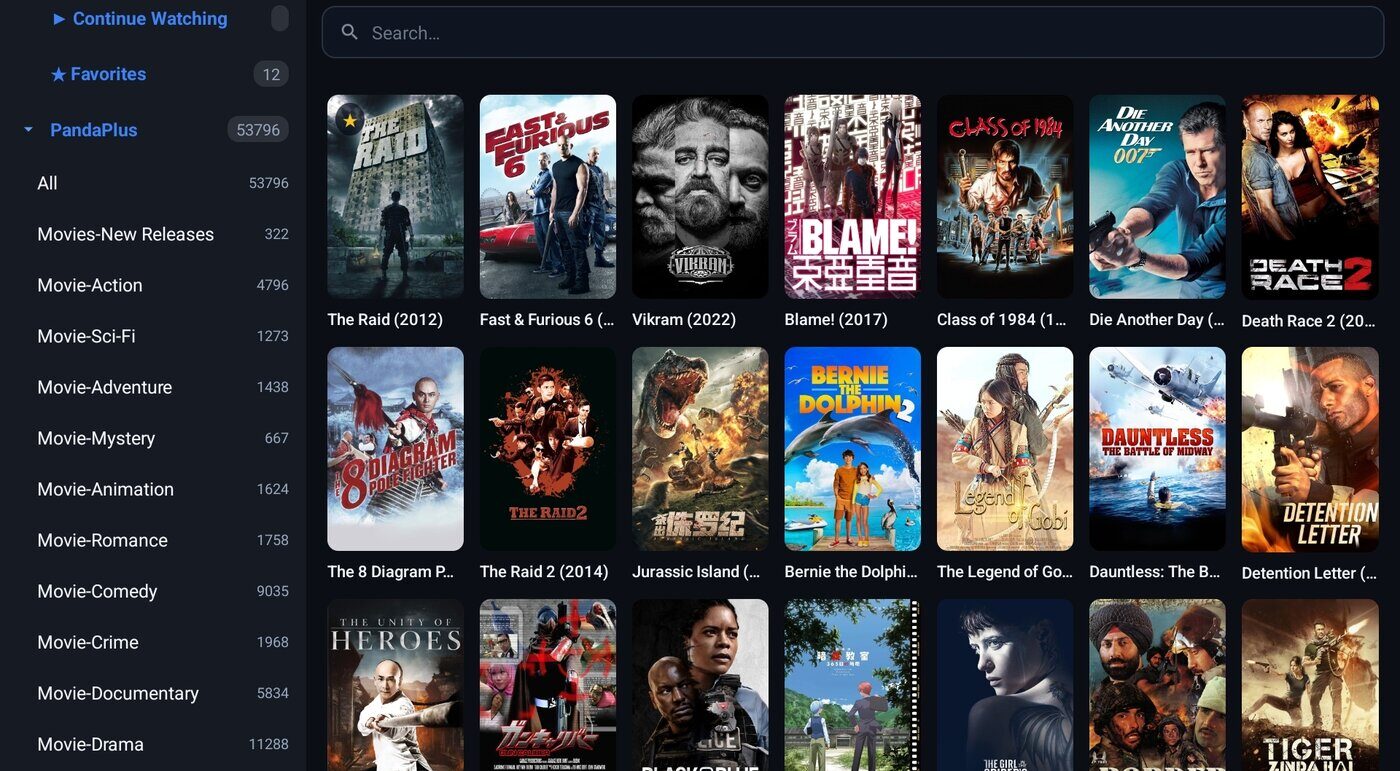
🎬Movies & Series
Posters, details, trailers, sorting, Continue Watching and resume where you left off, episode titles on screen.
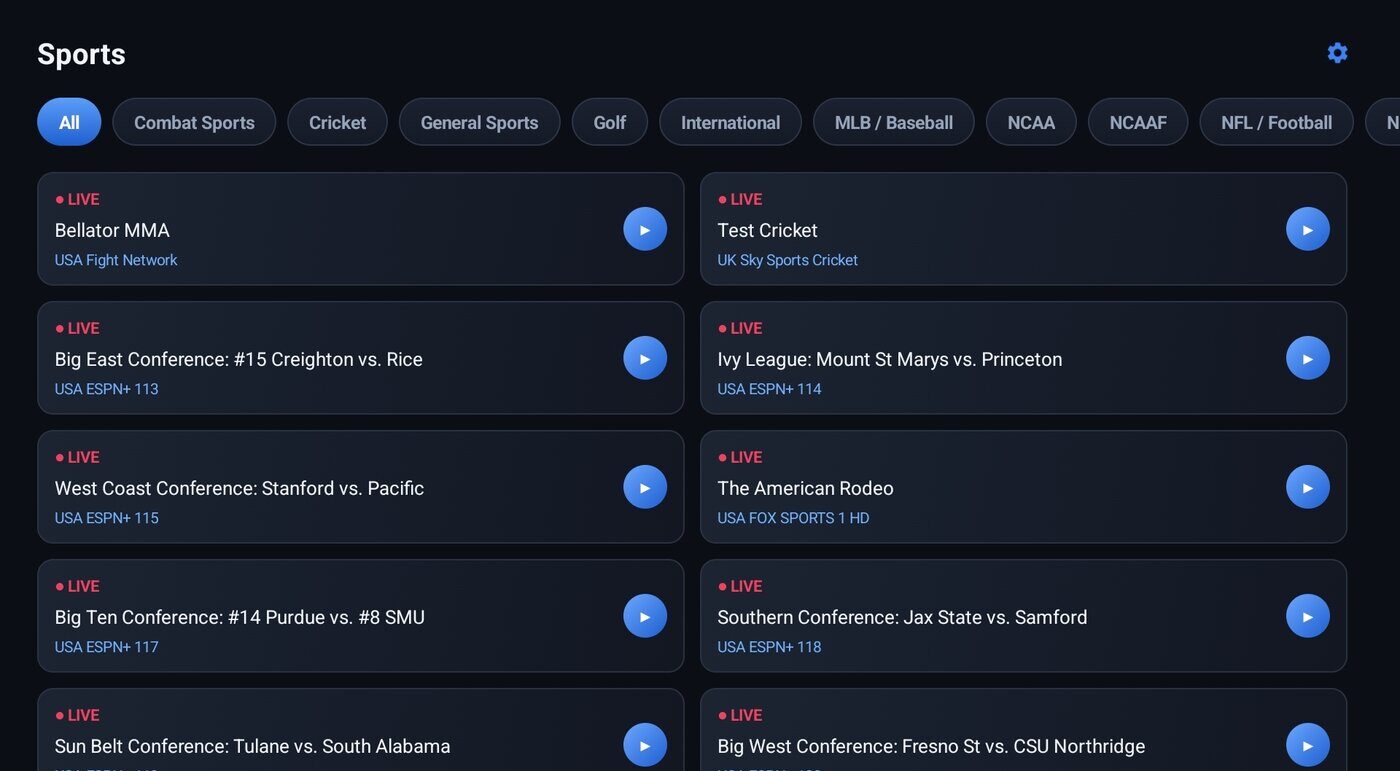
🏆Sports
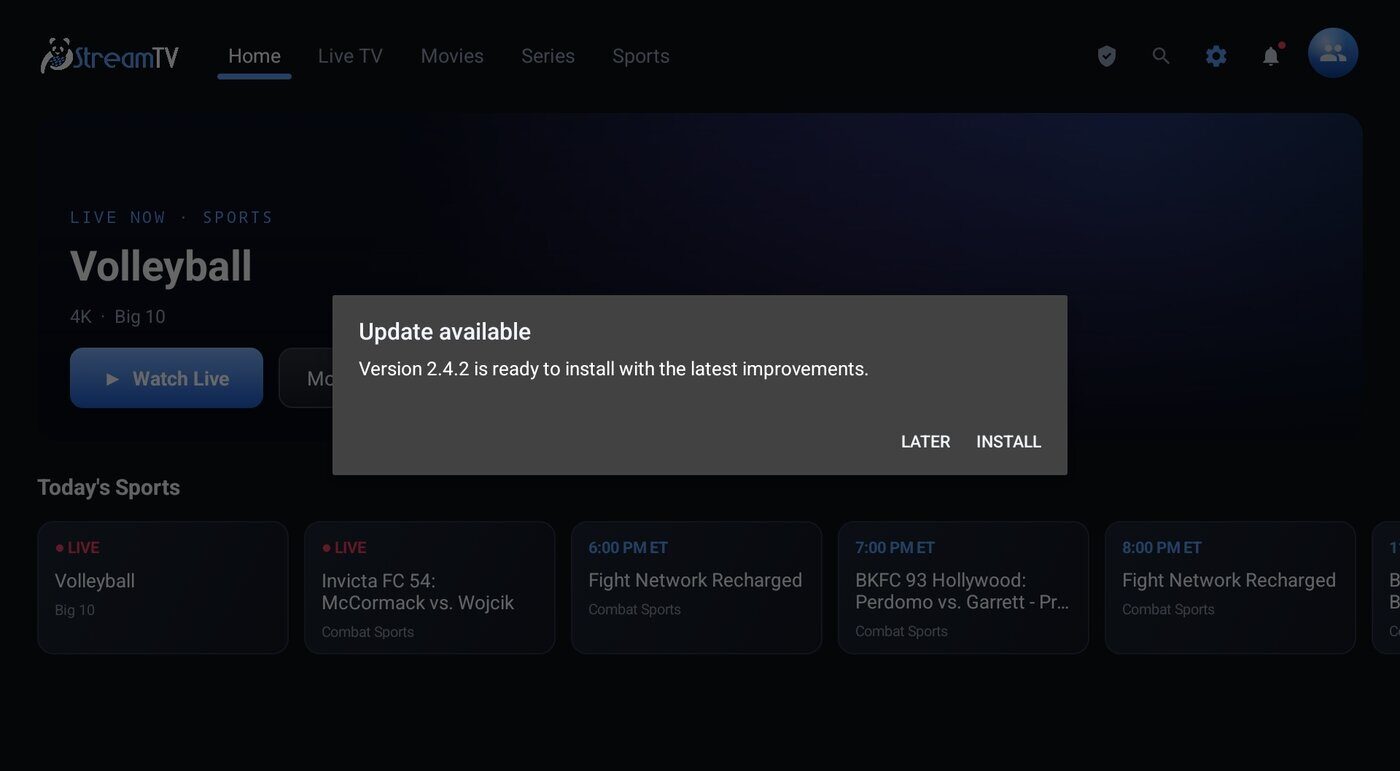
Today’s games by league with one-press tune-in, and a featured event on the home screen.
👪Profiles & parental controls
Netflix-style profiles, and an optional PIN that hides adult categories — the PIN can be reset from the portal.
⟳Updates itself
New versions install from inside the app, with resume if the download is interrupted — no Downloader codes again.
⏪Catch-up TV
On channels your panel archives, customers scroll back through the show, watch from the start or jump back to LIVE — the timeline they know from premium players, built into your app.
📺LG · Roku · Samsung TVs
No streaming stick? Activate the IPTV Star player on a customer’s smart TV with your own Multi-Player reseller account — from Admin, or let the customer do it in the portal’s My App by scanning the TV’s code with their phone.
🎞Plays almost anything
Built-in decoders for DTS and TrueHD sound and older Xvid / DivX movies and series — and a clear message instead of a black screen if a file truly can’t play.
✦New in the latest app
- Catch-up TV — rewind a show on archived channels, watch it from the start, then press LIVE.
- “Up/Down changes channel” switch — turn it off if a TV remote or a cushion keeps flipping channels.
- Live TV never comes up empty — if the channel list fails to download, the app tries again and says so.
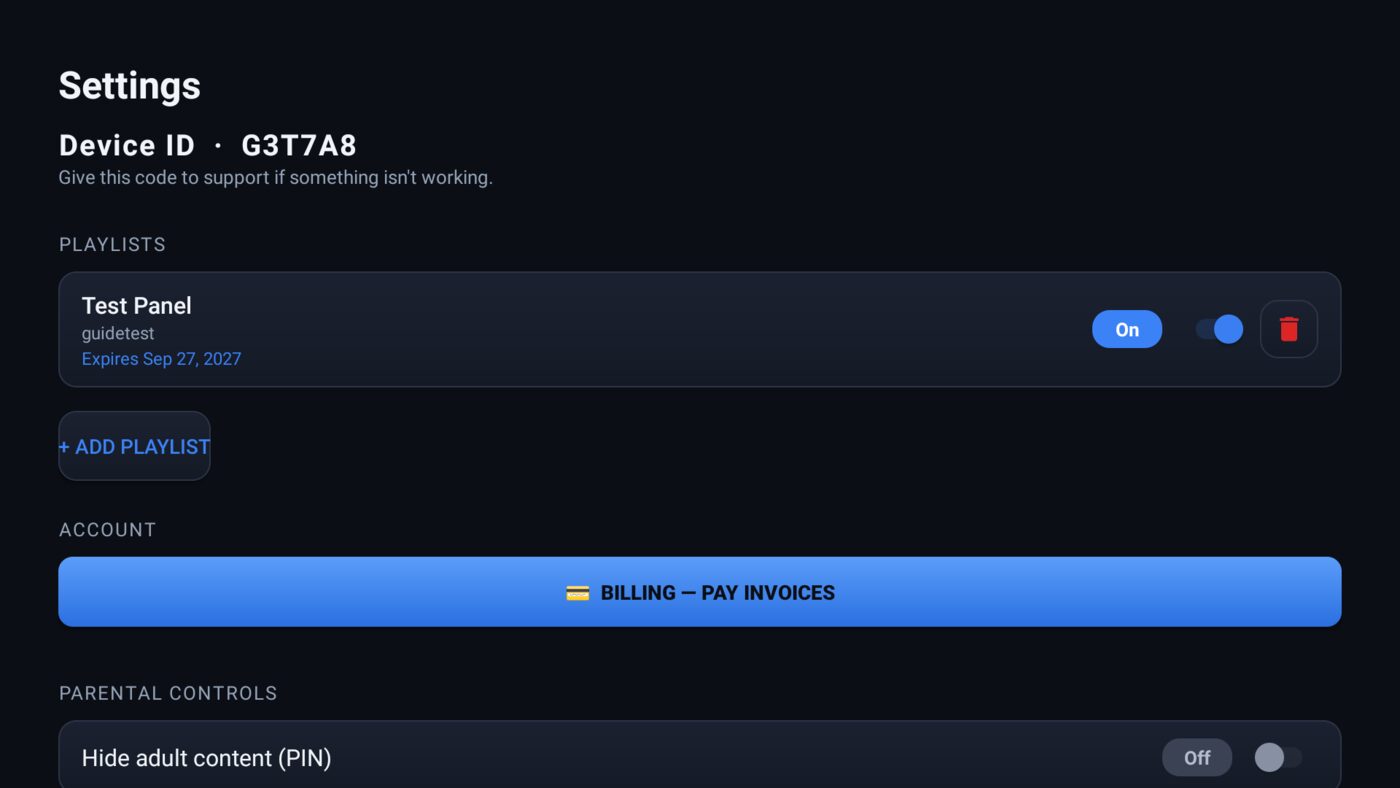
- Device health for support — Wi-Fi band and signal, speed, storage, memory and video output, on the client’s App tab and ticket cards.
- Older Xvid / DivX files play, and a clear message appears when a format can’t.
- Live TV that rides out hiccups — a stream blip retries in seconds and recovers on its own; a “No internet” notice when the connection drops.
- Device ID on each TV — support looks it up in the customer’s App tab: the device, its app version and a plain-English log.
- “Channel off air” — when a channel is down at the source, the app says so and keeps retrying until it’s back.
Your customers’ experience lives in your system
Profiles, Favorites and Continue Watching are stored on the customer’s account in BillingPortal — not on the device. New TV? Reinstall? Second home? They sign in and everything is exactly where they left it. That is something no generic player — and no WHMCS install — can give your customers, and it’s a big part of why they stay with you.
Run it from Admin and the portal
Your logo and colours are served from your billing system — change them without a new app build. Customers manage profiles and their parental PIN in the portal’s My App tab; support can reset a customer’s app remotely. Crashes and playback problems are reported to Admin automatically — in plain English, per device — so you can fix issues you’d never otherwise see.
+Also in the app
- Portal login or playlist login; multiple playlists
- Pay invoices from the TV
- Optional VPN add-on
- Clock, titles and status bar in the player
- LG · Roku · Samsung TVs via IPTV Star activation
- Our own Roku app — coming soon
Support, marketing and admin — all in one place
☺Clients
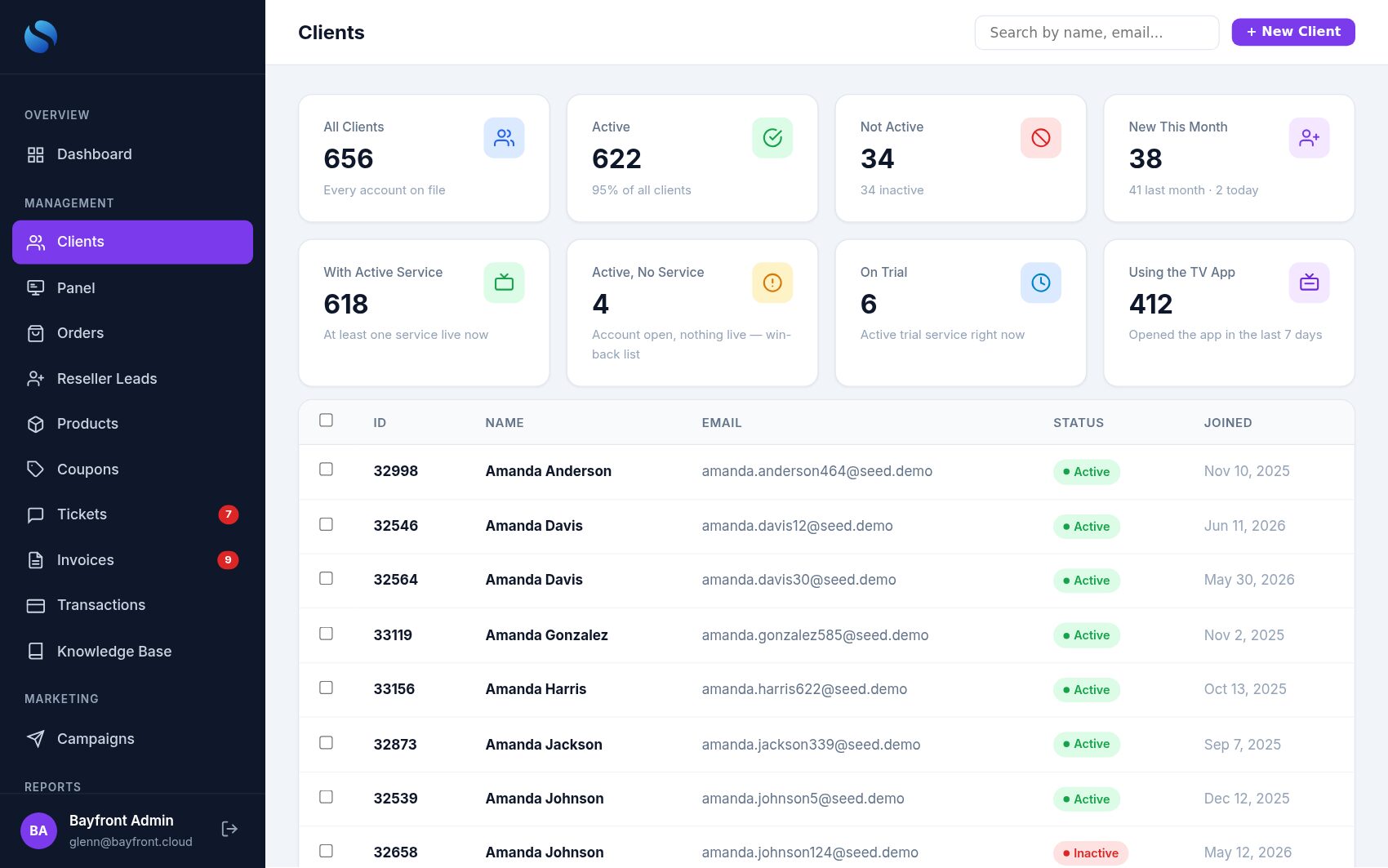
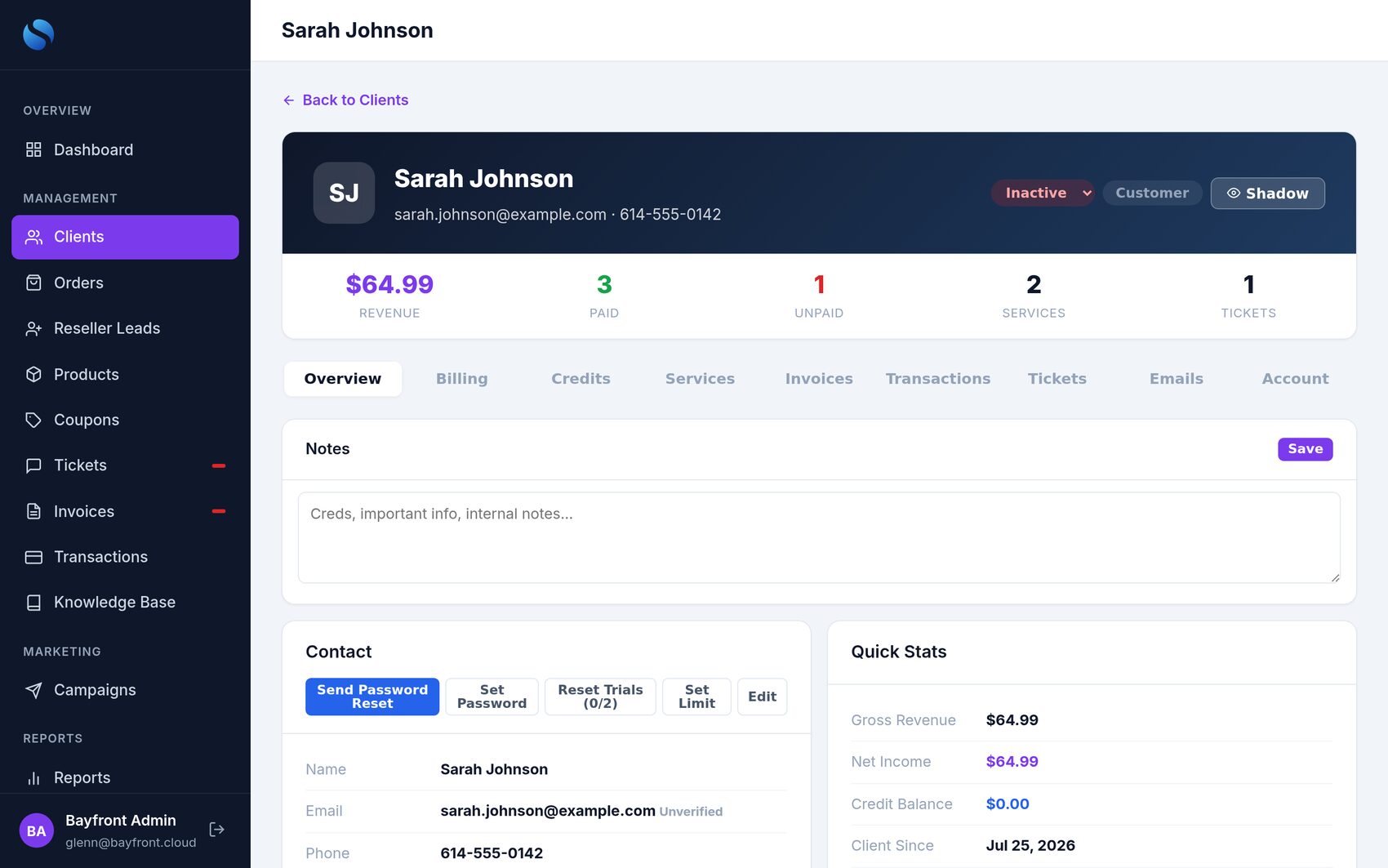
Full history per client, shadow-login to see what they see, status lifecycle (active, inactive, closed, banned), sign-up approvals, trial counters and notes.
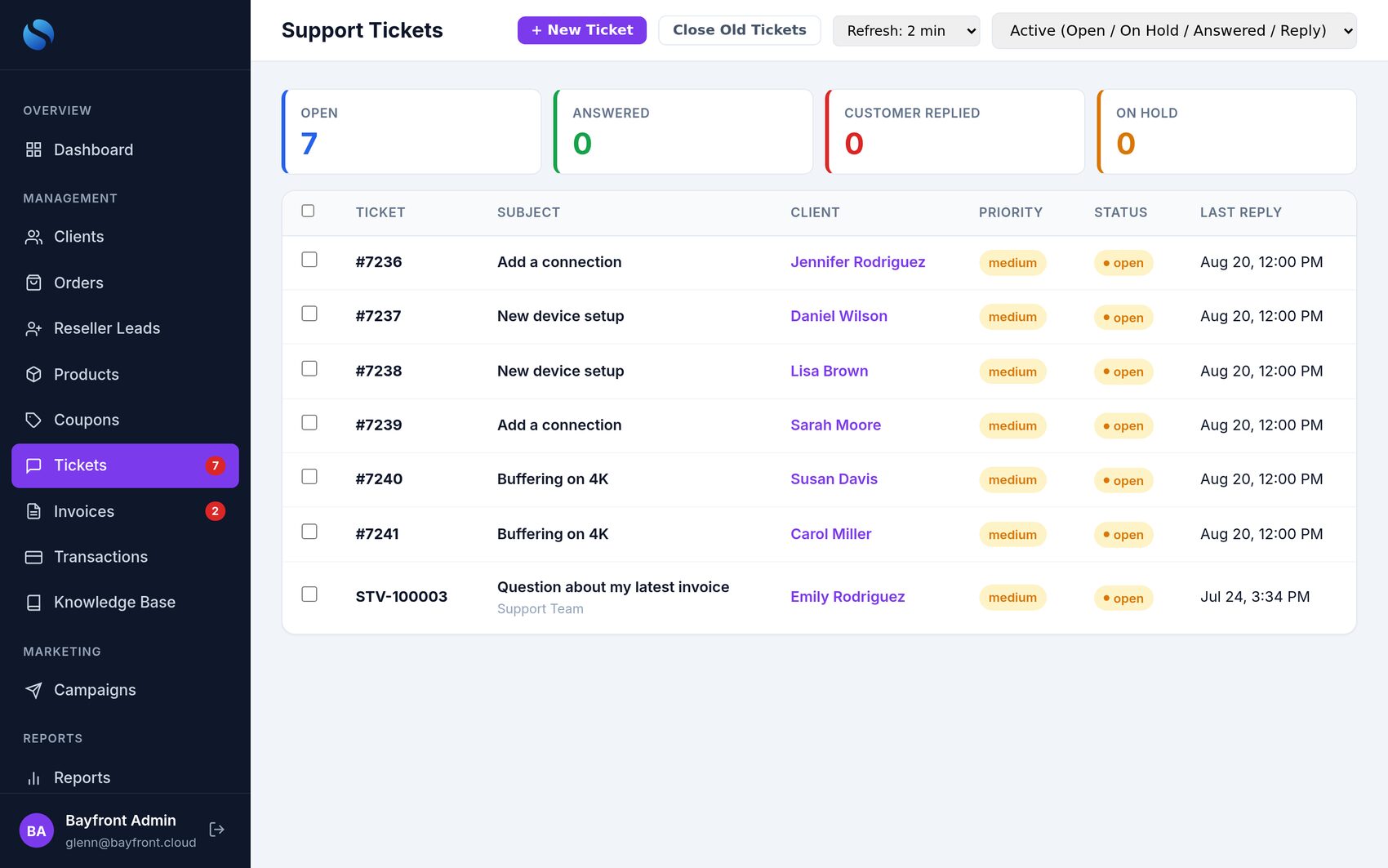
✎Tickets
Close, on-hold and reopen, reply-and-close, merge duplicates, private attachments and recommended articles.
✉Campaigns
Email every customer — or just one product group — with your templates, e.g. a price change or a new-channels announcement.
✦Email that looks like you
Send through Microsoft 365 or Google Workspace. Every template uses brand tokens — name, logo, links — and a visual editor.
▤Knowledge base editor
Visual editor with paste-from-Word and clipboard images, ordering, categories, PDF export and hide/show.
♥Refer a Friend
Customers share their own link; the friend gets money off the first order and the customer earns a free month once the friend has paid twice. Suspicious referrals wait for your review. Your rules; off until you switch it on.
▣App support
Type the Device ID a customer reads off their TV to see that device, its app version, its Wi-Fi and storage, and what went wrong — no screen-sharing, no guessing.
⚑Sub-resellers
A reseller sign-up form feeds a leads list in Admin. Sub-resellers see their live credit balance in their portal and refill it themselves — no manual top-ups.
⟳One-click updates
New releases appear in What’s New. One click installs a verified release — your data, settings and logins stay put, and it rolls back on its own if anything fails.
★What’s New
Every update to your platform explained in plain English, with a NEW badge in the menu — including what changed in your TV app.
📺Smart-TV activation
Add a customer’s LG, Roku or Samsung TV from their client page, review the device before any credit is spent, and keep every activation in one history.
🔑Support access
A protected BayFront support login is built in, so our team can step in and help the moment you ask — behind the same login protection as every account.
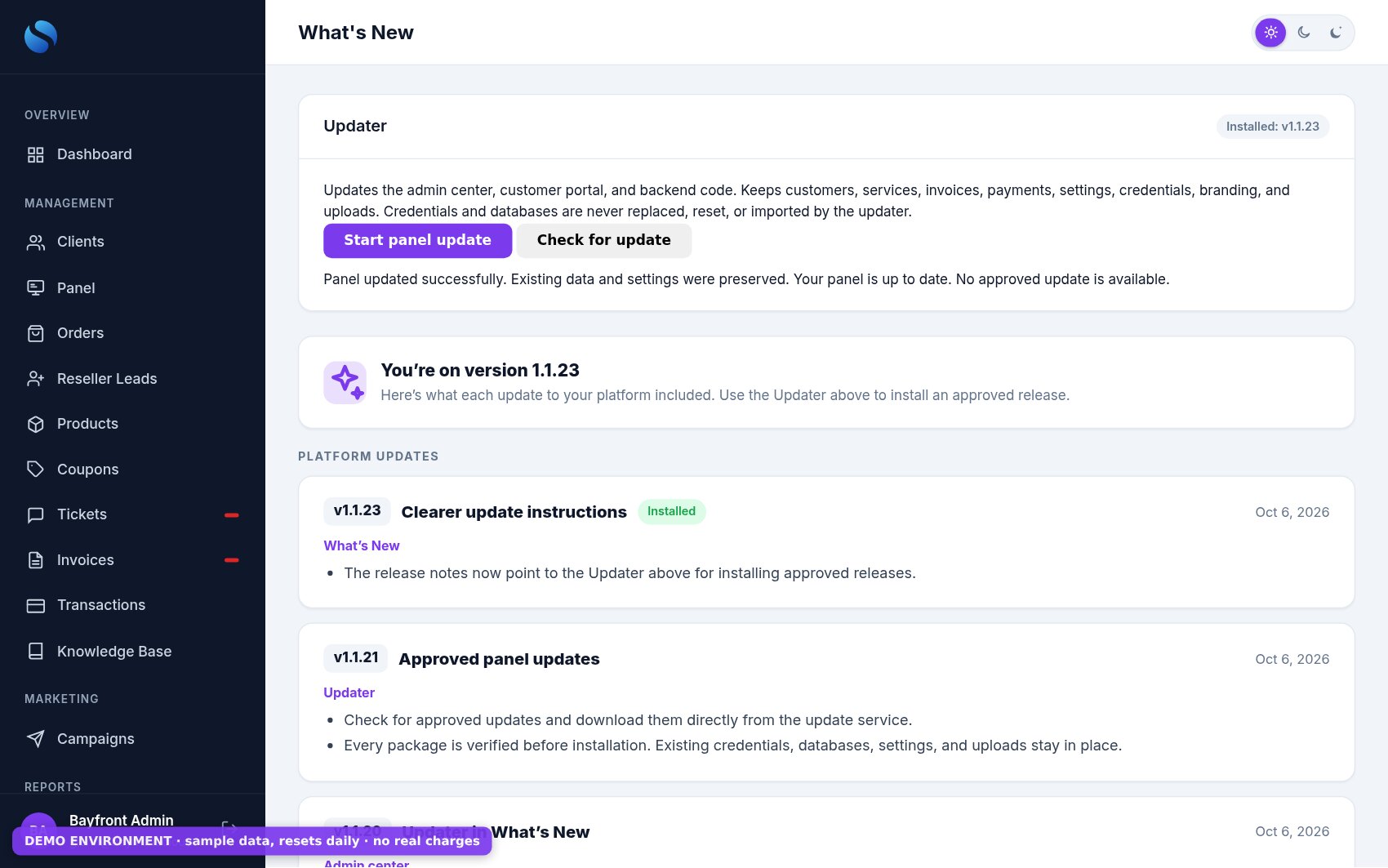
⟳Updates you can trust
- Approved releases only — each package is verified before it installs.
- Backed up first — the code is saved before anything changes.
- Health-checked — if the system doesn’t come back healthy, it restores itself.
- Your data stays put — customers, invoices, settings, branding, uploads and logins are never touched.
Snowbirds pause — they don’t cancel
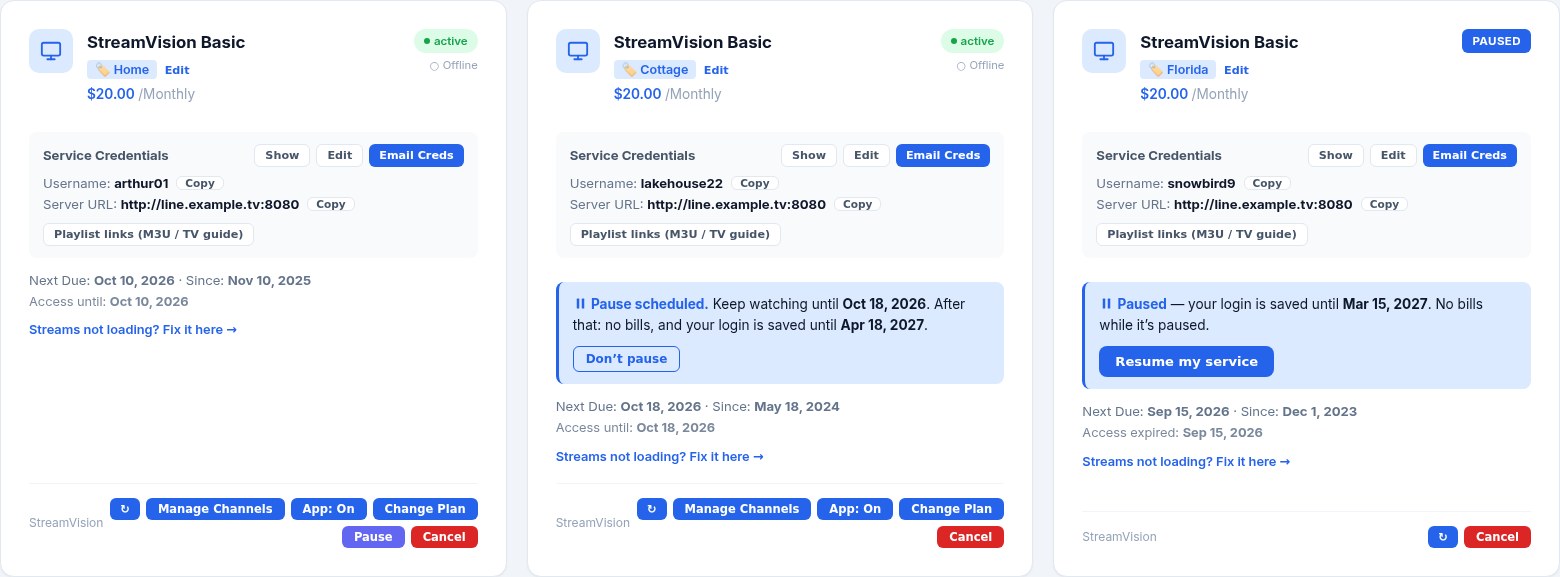
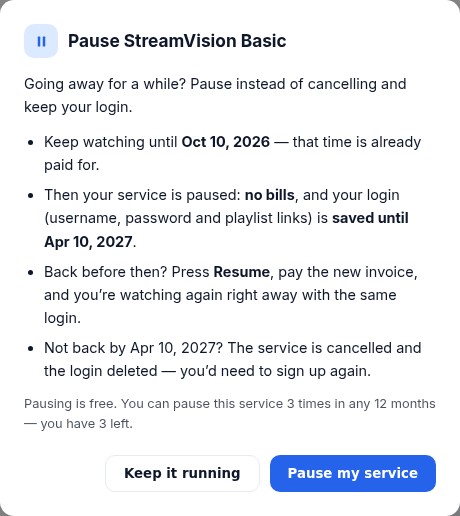
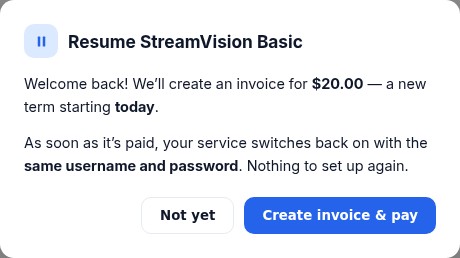
Customers who leave for the season press Pause instead of Cancel. They keep watching until the time they paid for runs out; then the line is switched off but kept — same username, password and playlist links — with no bills, reminders or suspensions. When they’re back, Resume creates one invoice, and paying it switches them straight back on.
⚙You set the rules
How long the login is held (6 months by default), how many pauses a year (3), and whether it’s on at all — in Admin → Modules. Free for your customers.
✓No bills, no dunning
Renewal invoices, reminders and overdue suspensions skip paused services. Paused customers still get your announcements and campaigns.
⏸Nobody watches for free
A service only counts as paused once the panel confirms the line is off. Not back in time? Reminders go out 30 and 7 days before, then it’s cancelled like any other.
Whitelabel, secure, and easy to move onto
100% your brand
- Your own server, set up for you — your database, your domain, your customers. Nothing shared with other resellers.
- Branding from Admin — name, logo, company, support email; the portal, emails, invoices, PDFs and knowledge base all follow.
- Your domain + one-click SSL from the Setup screen.
- Your own Stripe account and your own payment handles — money goes straight to you.
- Your own TV app, name, logo and colours.
- Look & Feel — ten palettes or any colour, the look new visitors see first, and your shop layout.
Security & reliability
- Nightly database backups, kept for weeks and copied to a second server — restores are tested.
- SSH brute-force protection with a live dashboard: bans, unbans and a whitelist.
- Login protection — repeated wrong passwords lock that account and address for a while; you see and clear locks in Settings, and attacks on admin accounts are emailed to you.
- Only HTTPS reaches your system — the app’s internal ports are closed to the internet.
- Private ticket attachments, per-install signing keys, admin roles and audit logs.
- Verified updates — backed up first and restored automatically if a health check fails.
- Payments settle exactly once — double payments are caught and flagged for refund.
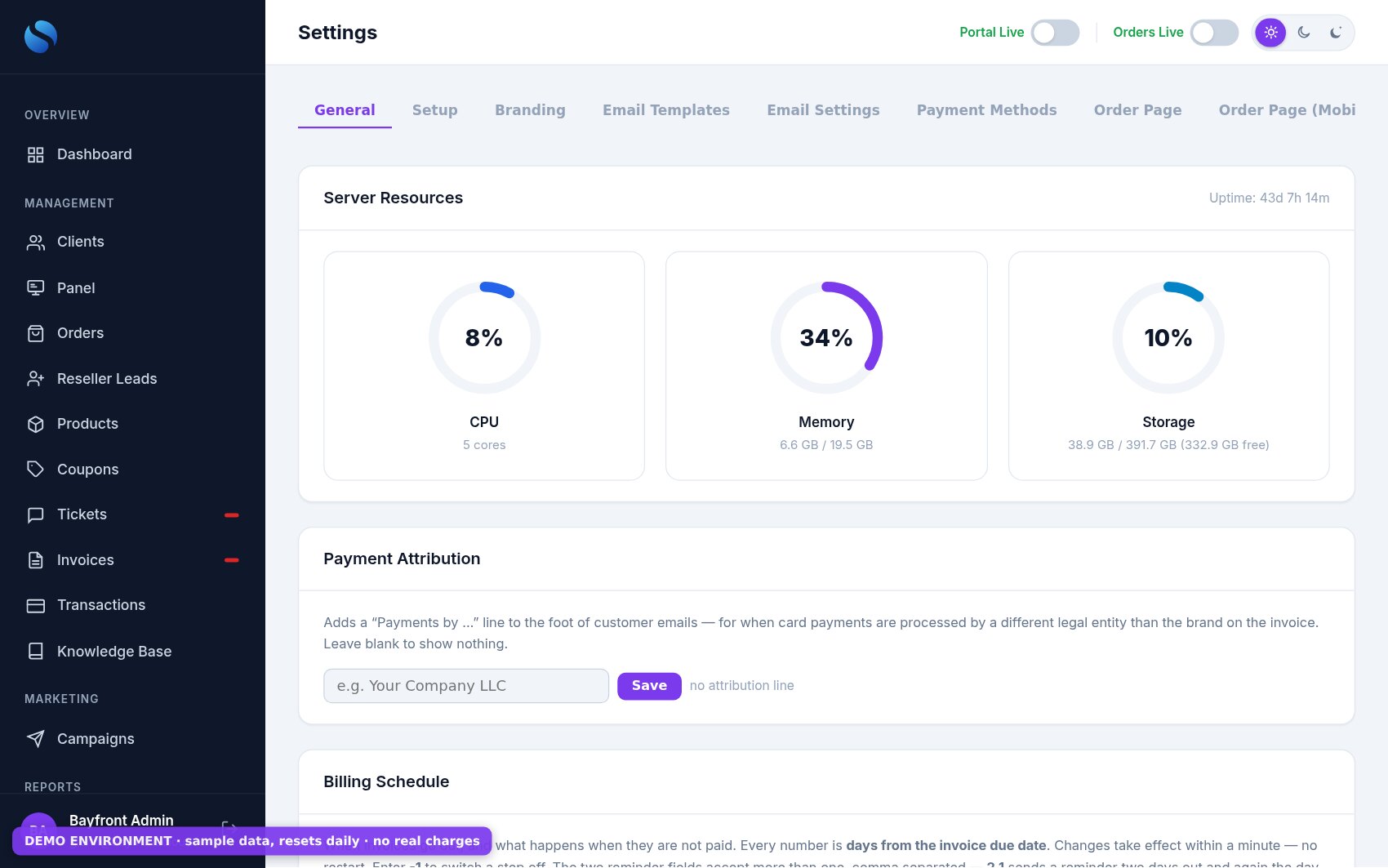
- Server resources (CPU, memory, storage) right in Settings.
WMoving from WHMCS
We import your clients, services (with their panel lines), invoices and payment history — and your ticket history comes too. Nothing changes on the panel, so every line keeps playing through the move.
✦Starting from a panel only
Import from Panel builds your catalog from your live packages; Add Existing Service attaches each customer’s existing line to their new account — no new lines, no downtime.
✎Sign up, then one set-up form
Choose a plan and check out. We set up your own server and email you its IP address to give your panel providers for whitelisting. Then tell us about your panels, email and payment methods in one secure online form — no domain yet? Start on a free yourname.billingportal.io address. Passwords are encrypted the moment you submit, and your system is built from our ready-made template: portal, shop, Admin and app, in your brand. Sign up →
✓Go-live checklist
A pre-flight check confirms branding, email, payment handles, panel connections and safety settings before your customers ever see it.
Simple monthly pricing, based on active customers
Every plan is the full platform — billing, payments, panel automation, the Panel console, customer and mobile portals, and your branded TV app.
Starter
For resellers moving off a panel-and-spreadsheet setup and ready to automate.
Sign up — StarterGrowth
For established resellers who want every renewal, payment and panel action on autopilot.
Sign up — GrowthPro
For large operations running multiple panels, staff and a sub-reseller network.
Sign up — ProIncluded in every plan
- Unlimited invoices
- Stripe, Venmo, Cash App, Zelle, PayPal
- Auto-renew & dunning
- XUI One · NXT · Best Panel
- Panel console
- Customer + mobile portal
- 4 shop layouts
- Branded TV app
- Your colours on portal, shop & app
- Device ID & app logs
- Refer a Friend
- Profiles & watch history
- Tickets, KB, campaigns
- Your domain & SSL
- Nightly backups
- Catch-up TV in your app
- LG · Roku · Samsung activation
- Payment modules & refunds
- One-click updates & new features
Because BillingPortal is also the back end of your customers’ TV app. It stores every customer’s profiles, Favorites and Continue Watching so their experience follows them to any device — and it replaces the third-party IPTV modules, the payment-matching busywork and the hours spent inside your panel.
See it working — today
Order a plan, get a line and open a ticket on our live demo — nothing is charged and it resets every night. Ask us for a guided tour of Admin and the Panel console.
Talk to us: support@bayfront.cloud